
Ripple Treasury Product Release Schedule
The following dates are subject to change.
Release | Planned Preview Date | Planned Production Date |
|---|---|---|
2026R1 | 07 Feb 2626 | 14 Feb 2026 |
2026R2 | 07 Mar 2026 | 14 Mar 2026 |
2026R3 | 04 Apr 2026 | 11 Apr 2026 |
2026R4 | 02 May 2026 | 09 May 2026 |
2026R5 | 30 May 2026 | 06 Jun 2026 |
2026R6 | 27 Jun 2026 | 11 Jul 2026 |
2026R7 | 25 Jul 2026 | 08 Aug 2026 |
2026R8 | 22 Aug 2026 | 05 Sep 2026 |
2026R9 | 19 Sep 2026 | 03 Oct 2026 |
2026R10 | 17 Oct 2026 | 24 Oct 2026 |
2026R11 | 14 Nov 2026 | 21 Nov 2026 |
2026R12 | 12 Dec 2026 | 09 Jan 2027 |
2026R13 | 09 Jan 2027 | 16 Jan 2027 |
Refer to previous years to view previous Release Notes.
2026 R9 Release Highlights
R9 brings more banks online over direct API, puts reconciliation setup and visibility fully in your hands, and deepens hedge accounting, limit control and guarantee management across Risk.
Wells Fargo wires, RBC Business Banking reporting, and BNY Mellon real-time payments join the direct-API roster, while Reconciliation adds dataset type control, record deletion, live run progress, and a filterable audit log. Risk extends limit checking to live deals, supports market-rate FX forward rollovers within an existing hedge relationship, and brings bulk guarantee schedule maintenance. Underneath it all, faster report generation, security hardening from independent penetration testing, and a range of processing and dashboard fixes make the platform more reliable.
Release Date: 03 Oct 2026
Release Version: R9
Enhancements: 25
Bug fixes: 5
Announcements
Security Assessments and Questionnaires now connects you with resources for your security assessments.
Check out what you need to do to prepare for the ISO 20022 changes coming soon.
Liquidity Management
Editable FX Settings in Worksheet Setup
The FX Settings tab is now editable in the new Liquidity UI, with rate scenario and source selectable independently for actual, estimated and forecast values, saved alongside the rest of the worksheet.
Comment on a Balance Without Leaving the View
Add and review comments on a balance directly in the Balance view: up to 4,000 characters, appearing in the list as soon as they are saved, with no pop-up and no page reload.
Reconciliation
Faster, Safer Reconciliation Runs
Rule problems are caught before a run starts, live progress streams into the job log, the reconciliations page loads quickly at any scale, and a reconciliation can no longer double-run.
Full Control Over Datasets and Exceptions
Set column data types when creating a dataset, delete individual records without rebuilding it, filter the audit log with a summary panel, and see filtered-out records beside real exceptions.
Cash Forecasting
Assign Line Items in Bulk, Not One by One
Assign line items to multiple business units, and business units to multiple line items, in a single action. This makes larger forecasting models significantly quicker to set up and adjust.
Faster Reports and a Steadier Platform
Expanded and comparison reports now reuse a single shared calculation instead of recalculating per row, so large exports generate faster and time out less. Security hardening and stronger monitoring round out the release.
Payments
ACK File Processing Completes Every Time
Payment acknowledgement files from long-running batch jobs now clear correctly at the end of a job, ending repeat reprocessing and reducing platform load. No action is required.
Risk: Advanced Foreign Exchange
Smoother, More Secure AFX Sign-In
The suspended-user message now aligns with AFX password reset, operator IDs are handled case-insensitively for SSO, and used password reset links no longer reappear from browser cache.
Risk: Financial Instruments
Limit Checking Now Covers Live Deals
Limit checking and multi-level breach approval extend to deals that have started but not yet matured, so outstanding positions are assessed on capture, amendment, and submission.
Roll FX Forwards at Market Rate, Hedge Intact
Designated FX forwards can be pre-delivered or extended at the current market rate without de-designating the hedge. Realized gains stay in hedge equity until the hedged item affects earnings.
Clearer Monthly Accruals in the Borrow/Invest Statement
Opening accrual, accrued interest, cash interest settled and closing accrual now line up month to month, making month-end reconciliation direct rather than a spreadsheet exercise.
Bulk Maintenance for Bank Guarantee Schedules
Import and export Custom Schedule changes and maturity dates for confirmed Guarantees, so irregular trade-finance and letter-of-credit schedules no longer need period-by-period manual edits.
Trading Status Visible Across Portfolio and Reports
Trading status, status date, portal trade ID and trading portal are now available in the Portfolio view, Deal Report, and data warehouse extract, without opening individual trade records.
See Your Whole Recurring Task Schedule Ahead
Recurring tasks now generate every occurrence up front, giving a full forward view of operational activity for planning, independent tracking and data warehouse reporting.
Platform: Architecture
User Group Approvals Complete Reliably
Resolved a sync issue that prevented the user group change approval flow from completing under certain settings, so approvals now finish as expected.
Platform: Connectivity
Two More Banks Connect Straight Through
Wells Fargo wires and RBC Business Banking balances and transactions now flow over direct API connections with automatic status returns and no portal downloads, and BNY Mellon adds real-time payments.
More Reliable Bank Data, Fewer API Calls
Current-day transactions with no bank reference are no longer dropped, Standard Chartered errors surface in plain text, bank tokens are reused per company, and epoch timestamps and HMAC-SHA512 signing are configurable.
2026 R9 Release Notes: October 2026
Liquidity Management
Type | ID | Title | Release Notes |
|---|---|---|---|
Enhancement | LQTY-561 | FX Rate Groups | The FX Settings tab in Worksheet Setup is now editable in the new Liquidity UI.
|
Enhancement | 159100 | Add Comments on the Balance View (Native) | You can now add comments to a balance directly from the Balance view. Existing comments are listed, and a new comment (up to 4,000 characters, with a remaining-character count) appears in the list as soon as it is saved. No separate pop-up and no page reload. Empty comments are rejected and any save problem is reported on screen. Available under the new Worksheets menu, switched on per company. Contact Ripple Treasury Support to have it turned on. The existing Worksheets menu is unchanged. |
Enhancement | 162720 | Proposals Config: Numeric Entry, Worksheet Currency Scope, and Covenant Dialog Defects | Proposals configuration corrections: numeric fields accept decimal and negative entry as expected, worksheet options are limited to the currencies in scope for the selected worksheet, and the covenant dialog opens with the correct defaults. Part of the GSmart Liquidity Proposals feature, which remains behind a feature flag that is off by default. |
Reconciliation
Type | ID | Title | Release Notes |
|---|---|---|---|
Enhancement | RECO-374 | See filtered-out records alongside exceptions | Records that your rules filtered out didn't show up anywhere, so you couldn't tell whether a missing record was filtered out or a real exception. They now appear in the exceptions view, marked so you can tell them apart. |
Enhancement | RECO-371 | Filter the audit log, and see a summary | You can now filter the audit log down to the events you're looking for. A summary panel shows recent activity at a glance. |
Enhancement | RECO-287 | Rules can't sum text columns. | We now catch rules that try to sum or aggregate a text column before they can fail a run. |
Enhancement | RECO-103 | Set column data types when creating a dataset. | You can now set each column's data type — text, number, date, or true/false — in the UI when you create a dataset. We detect the types automatically and pre-fills them, so usually you just confirm. |
Enhancement | RECO-95 | Delete records from a dataset. | Before, removing records meant deleting the whole dataset and uploading it again. Now you can remove records from an existing dataset. |
Enhancement | RECO-361 | Live progress during a match run. | The job log now shows real-time progress from the matching engine while your reconciliation runs. You no longer have to wonder whether a large run is still working. |
Enhancement | RECO-66 | Rule problems are caught before the run starts. | If a rule tries to sum a column that holds dates, times, or true/false values, We flag it upfront with a clear message instead of letting the run fail partway through. |
Enhancement | RECO-242 | Faster reconciliation list. | The reconciliations page loads in pages behind the scenes, so it opens quickly no matter how many reconciliations your team has. |
Fixed | RECO-305 | No more accidental double-runs. | If a reconciliation is already running, the system now prevents a second run from starting on it until the first one finishes. |
Cash Forecasting
Type | Title | Release Notes |
|---|---|---|
Enhancement | Faster, Bulk Line Item Assignment | You can now assign line items to multiple business units (and business units to multiple line items) in a single action, rather than one at a time. This makes setting up and adjusting your forecasting model significantly quicker for larger structures. |
Enhancement | Faster Report Generation | We've reworked how reports are calculated behind the scenes - reusing a single shared calculation across an expanded report instead of recalculating for every row. Large reports (especially expanded/comparison exports) now generate noticeably faster and are less likely to time out. |
Enhancement | Improved Application Reliability and Observability & Performance | Behind-the-scenes improvements to our background processing have removed a job that could consume excessive server resources for hours, and we've strengthened our New Relic monitoring and observability so we can detect and resolve issues faster - resulting in a smoother, more stable experience. |
Enhancement | Stronger Security & Data Protection | We completed a major security hardening initiative following independent penetration testing, closing a range of potential vulnerabilities and further protecting your data across the platform. |
Payments
Type | ID | Title | Release Notes |
|---|---|---|---|
Fixed | PYMT-327 | ACK File Cleanup Fails Due to Session Expiry on Long-Running Jobs, Causing Infinite Reprocessing Loop | We identified and fixed an issue where payment acknowledgement (ACK) files from certain large batch jobs were not being cleared from processing after completion. In some cases, this caused the same files to be reprocessed repeatedly rather than being finalized. What changed: Payment acknowledgement processing now correctly completes and clears files at the end of a job, regardless of how long the job takes to run. This eliminates unnecessary repeat processing and reduces load on the platform. Impact to you: No action is required. You may notice improved processing reliability for larger ACK file volumes going forward. |
Risk: Advanced Foreign Exchange
Type | ID | Title | Release Notes |
|---|---|---|---|
Enhancement | 161875 | Login: Update Message on Suspended User Pop-Up | This updates the login message displayed to suspended AFX users, aligning it with the AFX Password Reset feature. |
Fixed | 110295 | SSO: Turn Off Case Sensitivity for operatorID Attribute | This change makes the handling of the operatorID attribute case-insensitive. |
Fixed | 161853 | Password Reset Page Served from Browser Cache After Successful Use: “Change Password” Form Displayed Instead of Invalid-Link Message | This fix addresses the issue of used password reset links being cached by the browser. |
Risk: Financial Instruments
Type | ID | Title | Release Notes |
|---|---|---|---|
Enhancement | 157641 | Fix FX Dashboard Market Rate Quotation Direction to Match Hedge Rate Convention | The FX Dashboard has been enhanced to ensure that market rates and hedge rates are presented using the same quotation convention. This provides clearer rate comparisons and more consistent gain and loss and market valuation information across the FX Exposures and Hedges Summary. Previously, for certain currency pairs, the Market Rate could be displayed in the opposite quotation direction to the Avg Rate of Hedges, making direct comparison between market and hedge rates difficult. The Market Rate now follows the quotation method configured for the currency pair in Currencies, consistent with Avg Rate of Hedges and other rate-based information displayed on the dashboard. As a result, related calculations and comparisons, including Hedges Gain and Loss, Proposed Full Hedge Rate, and unhedged exposure valuations, now use market rates presented on the same basis as hedge rates. Forward market rates have also been enhanced for currencies configured to use OIS discounting, ensuring the appropriate discounting basis is reflected in forward-rate calculations. Existing exposures, hedges, and currency-pair configurations are unchanged. Impact to users:
Who is affected:
Recommendation:
|
Enhancement | 154150 | Fix ABS First-Period Interest Calculation When Renegotiation Occurs Before First Payment Date | Interest calculation has been enhanced for Asset Backed Securities (ABS) where a drawdown or principal repayment occurs before the first interest payment date. The first interest period now reflects the principal balance applicable before and after the renegotiation, providing more accurate interest, accrual, and financial event values. Previously, where an ABS deal was renegotiated during its first interest period, the revised principal balance could be applied across the entire period. With this enhancement, the first interest period is now calculated using the appropriate principal balance for each part of the period:
The resulting amounts are combined to produce the first-period interest value. Related accruals and financial events now reflect the corrected calculation, and residual Pending balance entries associated with these scenarios are no longer retained on the Events tab. There is no change to subsequent interest periods, ABS deals without a renegotiation during the first period, or other security types. Impact to users:
Who is affected:
Recommendation:
|
Enhancement | 157402 | Fix Missing Equity Balance GL Postings After FX Hedge Relationship Termination | Hedge accounting has been enhanced to maintain equity balance postings after an FX hedge relationship is de-designated, terminated, or fully transitioned to fair value before the remaining equity balance is released. This provides more complete GL Processing output and helps ensure deferred equity balances continue to reconcile with hedge accounting reports throughout the remaining reclassification period. Previously, where an FX hedge relationship ended before its remaining equity balance was scheduled for reclassification, GL Processing might not produce equity balance entries for the accounting periods between the termination or de-designation date and the final release of that balance. With this enhancement, equity balance entries continue to be generated for each applicable accounting period while the balance remains deferred in equity. Reversing entries also continue only for as long as the deferred balance remains outstanding. Once the applicable reclassification date is reached, the reversing entries stop and the equity balance is released through the standard reclassification process. This behavior applies consistently across supported equity release schedules, including single-date releases, straight-line amortization, and effective-rate amortization. Existing hedge accounting configurations and GL mappings are preserved, and periods that were already processed correctly are unchanged. Impact to users:
Who is affected:
Recommendation:
|
Enhancement | RFI-657 | Limit Management & Approval: Extended Limit Checking and Approval for Live Deals | Limit checking and multi-level breach approval have been extended to include live deals that have already started but have not yet matured. This provides broader control over outstanding positions by ensuring that live deals are assessed against applicable limits when they are captured, amended, or submitted. Previously, limit checking focused on deals starting today or in the future. Deals that had already started but were still outstanding could therefore fall outside the limit check during subsequent capture or amendment activity. With this enhancement, deals with a maturity or end date of today or later are also included in limit checking. Where a live deal breaches an applicable limit, it follows the same multi-level approval workflow already used for future-dated deals. Existing approval levels, thresholds, approver groups, and routing rules continue to apply, so no separate approval process is required. Limit utilisation at the point of approval also reflects both live and future-dated outstanding positions, providing a more complete view of exposure. Approval and rejection activity continues to be recorded in the existing approval audit trail, with no change to previously recorded approval history. Matured deals remain outside the scope of limit checking, and existing deals are not automatically reassessed simply because the feature is enabled. Impact to users:
Who is affected:
Recommendation:
|
Enhancement | RFI-407 | Market Rate Rollover for FX Forwards in Hedge Accounting | Hedge Accounting has been enhanced to support market rate pre-deliveries and extensions for designated FX forwards. This allows treasury teams to roll an FX forward at the current market rate while continuing the existing hedge relationship, with the realised rollover amount retained in hedge equity until the hedged item affects earnings. Previously, designated FX forwards could only be pre-delivered or extended using the original deal rate. A rollover using the current market rate was not supported. With this enhancement, designated FX forwards can now be pre-delivered or extended at market rate without de-designating and creating a new hedge relationship. Where the rollover crystallises a realised gain or loss, that amount is incorporated into the hedge equity balance and released in line with the existing treatment of the hedged item. The Hedge End-of-Period report has also been enhanced with a Cash line in the accounting section to show the realised rollover amount and support reconciliation of the hedge equity balance. Effectiveness testing continues to operate as before. Realised rollover cash is excluded from the retrospective effectiveness assessment so that the rollover itself does not introduce artificial ineffectiveness. Partial rollovers and multiple successive rollovers are supported. Rollovers completed using the original deal rate continue to behave as they do today. Impact to users:
Who is affected:
Recommendation:
|
Fixed | RFI-449 | Enhanced Monthly Accrual and Cashflow Reporting in the Borrow/Invest Statement | The Borrow/Invest Statement has been enhanced to provide clearer monthly principal and interest movements for borrowing and investment positions. Users can review opening accrual, accrued interest, cash interest settled, and closing accrual across one or more consecutive months, supporting more direct month-end reconciliation without the need for manual recalculation or spreadsheet workarounds. The Borrow/Invest Statement now provides more consistent accrual and interest-payment reporting across monthly periods. Opening accruals now reflect the full unpaid interest carried forward from prior periods, including amounts accumulated across multiple coupon periods. Interest payments are also attributed to the appropriate reporting period. For example, where interest is paid in advance on a period boundary date, the payment is reported in the period that begins on that date. Accrual calculations now follow the accrual method configured for the relevant instrument type or product in Accrual Settings, and withholding tax accruals follow the same treatment as the associated interest accruals. Summary and Detail views use consistent opening accrual, interest paid, and closing accrual values. Reporting periods that could previously be omitted in certain maturity or adjusted-payment-date scenarios are also retained. For best reconciliation results, the Borrow/Invest Statement should now be run from month-end to month-end, rather than from the first day of one month to the first day of the next. A detailed user manual is available with guidance on configuring the report and reconciling its figures against other Ripple Treasury reports. Impact to users:
Who is affected:
Recommendation:
|
Enhancement | 159687 | Handle Pre-Issue FRN Instruments Gracefully in Securities Report Valuation | Reporting and valuation have been enhanced for securities that have been booked but have not yet reached their issue date. Securities with a report or valuation date before their issue date are now handled as forward-starting positions, allowing Securities Reports, Mark-to-Market processing, and GL Processing to complete successfully without affecting the valuation of other deals in the portfolio. Previously, a security that had been booked but was not yet issued could prevent certain valuation-based processes from completing when the selected report date fell before the security's issue date. With this enhancement, these pre-issue securities are now treated consistently as forward-starting positions. For reporting dates before the issue date:
Other securities in the same portfolio continue to be valued and reported normally. Valuation behaviour on and after the security's issue date is unchanged. Impact to users:
Who is affected:
Recommendation:
|
Enhancement | RFI-526 | Enhanced Bank Guarantee Schedule Management for Trade Finance and Treasury Operations | Guarantee processing has been enhanced to support Custom Schedule maintenance and Maturity Date amendments through import and export files. A new Guarantee with Custom Schedule option is now available within Deal Import / Export Definitions, allowing users to maintain irregular guarantee schedules in bulk rather than updating each schedule period manually. This enhancement supports the Financial Letter of Credit use case and also provides broader benefits for clients using Guarantees for other purposes. Users can now import Custom Schedule changes for an existing confirmed Guarantee, including:
The same definition can also be used to export an existing Guarantee Custom Schedule, making it easier to review the expected file structure and prepare future imports. Where a Guarantee is not already using a Custom Schedule, the import can enable the schedule automatically and apply the imported changes to the existing deal terms. Imported rows can add new schedule periods or update existing periods by date. Principal balances continue to be derived from the schedule movements in the same way as when the schedule is maintained on screen. The import follows the existing Guarantee amendment process, so current validation, approval, maker/checker, and audit controls remain in place. Impact to users:
Who is affected:
Recommendation:
|
Enhancement | RFI-656 | Transaction Lifecycle: Enhanced Trading Visibility in Portfolio and Deal Reporting | Trading lifecycle information is now available directly in the Portfolio view and Deal Report, giving users greater visibility into the status of deals routed through an integrated trading portal. This enhancement makes it easier to monitor trading activity, build operational views, and include trading status information in reporting and downstream analytics without opening individual trade records. New trading fields are available in existing portfolio and reporting views:
The same fields are also available through the Deal Report data warehouse extract for use in custom reporting and BI tools. Users can add the new fields to their existing views and saved layouts and include them in standard exports. The values shown are the same as those recorded on the underlying trade. This enhancement does not change how trading statuses are generated or maintained. Impact to users:
Who is affected:
Recommendation:
|
Enhancement | RFI-837 | Forward-Looking Recurring Task Schedules for Operational Planning and Reporting | The Tasks module has been enhanced to generate the complete schedule of a recurring task when it is created. Each scheduled occurrence is now available as an individual task record, giving users visibility of past, current, and future operational activities and making future task information available for reporting and downstream processing where a data warehouse is configured. Previously, a recurring task was represented by a single current record, with the next occurrence created only after the existing occurrence was completed. Future scheduled activities were therefore available through the recurrence definition, but were not represented as individual task records for operational reporting. With this enhancement, the complete recurrence schedule is created when the task is saved. Each occurrence has its own scheduled date and retains the relevant task information, including name, description, owner, category, priority, business unit, portfolio, and facility associations. This provides:
This means future scheduled activities can be used in reporting and downstream processes, such as operational monitoring or notification solutions, without waiting for the preceding task occurrence to be completed. Non-recurring tasks continue to operate as they do today. Impact to users:
Who is affected:
Recommendation:
|
Fixed | 162182 | Correct Trading Margin for lot-based FRNs priced on Settlement Amount | Trading Margin calculation has been enhanced for Floating Rate Notes (FRNs) captured in lots and priced using the Settlement Amount quotation method. When this enhancement is enabled, the Trading Margin derived from the entered settlement amount is calculated consistently regardless of the number of lots, providing more accurate deal pricing and related calculations. Previously, for FRNs captured in multiple lots and priced using Settlement Amount, the derived Trading Margin could increase significantly as the number of lots increased. For larger lot quantities, a valid Trading Margin might not be returned. With this enhancement, the Trading Margin is calculated consistently from the settlement amount entered and is no longer affected by how the overall deal quantity is divided into lots. For example, where an FRN is entered at par, the derived Trading Margin will align with the applicable initial margin. For deals priced above or below par, the Trading Margin will adjust appropriately to reflect the settlement amount entered. This improvement applies when capturing or amending affected FRNs. Existing deal-entry workflows and fields remain unchanged. Valuation and reporting calculations that were not affected by this behaviour remain unchanged. Impact to users:
Who is affected:
Recommendation:
|
Fixed | 160598 | Preserve custom field values when a Loan/Deposit deal is amended and resubmitted | Loan and Deposit amendments have been enhanced to preserve existing Custom Field values throughout the amendment process. This helps ensure that deal information remains complete and consistent when amendments are created, saved as drafts, submitted, and reopened, reducing the need for manual re-entry and follow-up checks. Previously, when certain Loan or Deposit deals were amended, existing Custom Field values could be cleared or reset during the amendment process. With this enhancement, Custom Field values are now retained throughout the amendment lifecycle. This includes:
Where a Custom Field has a configured default value, the value already selected on the deal is preserved rather than being reset to the default. The enhancement applies across supported Custom Field types, including list, text, numeric, date, and yes/no fields. Historical deal versions retain their existing Custom Field values, and repeated amendments continue to maintain the correct values for each version of the deal. There are no changes to Custom Field configuration, default behaviour for newly created deals, or the existing Loan and Deposit amendment workflow. Impact to users:
Who is affected:
Recommendation:
|
Fixed | 158132 | Fix Term Column Sorting on Portfolio and Reports Screens | Sorting by Term has been improved across the Portfolio and Reports screens. Users can now sort deals by their actual duration, making it easier to review portfolios from shortest to longest term, identify longer-dated positions, and analyse maturities more efficiently. Previously, the Term column could be sorted based on the text displayed in the grid rather than the actual length of the deal. This could result in terms such as days, months, and years appearing in an unexpected order. The Term column now sorts by the underlying deal duration while continuing to display the same familiar values, such as 7d, 9m, or 3.0y. Ascending and descending sorting now provide a consistent shortest-to-longest or longest-to-shortest view. The same improvement also applies to other supported grid columns where a formatted or derived value is displayed but sorting should be based on the underlying value. Existing paging, filtering, saved layouts, grouping, totals, and export functionality continue to operate as before. Saved layouts that already include Term sorting will automatically use the corrected sorting behaviour. Impact to users:
Who is affected:
Recommendation:
|
Fixed | 160977 | RTE when loading FX dashboard | The FX Dashboard loading experience has been improved to prevent intermittent errors or stalled loading when the dashboard is opened and refreshed. Users can now enter and refresh the dashboard more reliably, with no impact to existing chart layouts, calculations, settings, or underlying data. Previously, users could occasionally encounter an error or an indefinitely loading screen when refreshing the FX Dashboard immediately after opening it. With this enhancement, the Refresh button remains temporarily unavailable while the dashboard completes its initial loading process. Once the required information has loaded, Refresh becomes available as normal. Refresh also remains unavailable while an existing refresh is in progress, helping prevent overlapping requests. The same loading protection has also been applied to the Facilities Dashboard. There are no changes to dashboard calculations, chart content, report parameters, saved layouts, or user preferences. Impact to users:
Who is affected:
Recommendation:
|
Fixed | 162835 | RTE when loading Facilities Dashboard | The Facilities Dashboard loading experience has been improved to prevent intermittent errors or an empty dashboard when users refresh the screen before it has finished loading. This enhancement provides a more reliable dashboard experience without changing any calculations, layouts, filters, or saved settings. Previously, users could occasionally encounter a runtime error or an empty No data to display result if Refresh was selected before the Facilities Dashboard had completed loading. With this enhancement, the Refresh button remains temporarily unavailable while the dashboard finishes loading the information it needs. Once loading is complete, Refresh becomes available as normal. The dashboard has also been improved so that Refresh reliably becomes available once loading finishes and no longer remains unavailable for the rest of the session. There are no changes to dashboard calculations, results, filters, layouts, saved preferences, or underlying facility data. Impact to users:
Who is affected:
Recommendation:
|
Platform: Architecture
Type | ID | Title | Release Notes |
|---|---|---|---|
Fixed | 162721 | User Unification Migration Creates Users with No UserProfileHistory, Making Them Unapprovable | Resolved a sync issue that was preventing the user group change approval flow from completing for some specific settings. |
Platform: Connectivity
Type | ID | Title | Release Notes |
|---|---|---|---|
Enhancement | 158094 | Wells Fargo Payments Connector: Wire, ACH, and Instant Payments (Phase-1 Wired Completed) | Wells Fargo wires now follow the same straight-through workflow, approval controls and audit trail as your other payment banks, with no re-entry in the bank portal and no chasing the bank for confirmation. Wells Fargo is available as a payment bank for wire payments over a direct API connection. Initiate and approve a Wells Fargo wire in Ripple Treasury and it is sent to the bank by API, with payment status returned automatically. No file transfer or portal upload is involved. ACH and instant payments over the same API connector are planned for a later release. |
Enhancement | 158359 | Support Unix Epoch Date/Time Format in Calculated Date Parameters and Calculated Headers | Calculated Date parameters and calculated headers now support Unix epoch output, so banks requiring epoch-millisecond timestamps can be configured rather than code-changed. |
Enhancement | 158714 | ENH BNYM Payments Connector: Real-Time Payments (RTP) | Time-critical disbursements can settle in seconds from the same screen and approval flow you already use for BNY Mellon wires and ACH, instead of being initiated in the bank portal. Real-time payments are now available on the BNY Mellon payments API connector, alongside the existing payment types. Payments are released from Ripple Treasury to BNY Mellon on the RTP rail by API, and status is returned automatically. |
Enhancement | 159262 | SCB Connector: Add AES Decryption for HTTP Error Responses (4xx/5xx) | The Standard Chartered connector now decrypts AES-encrypted HTTP error responses, so bank-side failures surface as readable errors instead of ciphertext. Certificate handling simplified to remove per-region Key Vault setup. |
Enhancement | 159494 | Fix Token Cache Key to Prevent Cross-Account Token Sharing | Fewer total API calls to your bank for the same activity, which helps if your bank applies rate limits or charges per call. API tokens issued by your bank are now reused until they expire, rather than being requested again before they need to be. Tokens are held per company, so companies using the same published connector no longer cause each other's tokens to be re-requested. |
Enhancement | 160960 | FA Bank Signed-Digest: Marketplace Runtime (HMAC-SHA512) | HMAC-SHA512 Signed-Digest request signing implemented in the Marketplace runtime, exposed in CCG configuration and UI, and validated end to end against the First American Trust sandbox. This unblocks an xPressWire / xPressPort connector build, and the signing pattern is generic and reusable for other banks using the same scheme. |
Enhancement | 160966 | RBC Business Banking: Bank Reporting Connector (Balances and Transactions) | Your morning cash position is complete earlier in the day, and the daily routine of downloading files from RBC's portal goes away, along with the risk of it being missed. RBC Business Banking balances and transactions now flow into Ripple Treasury automatically over a direct API connection, on the same schedule as the rest of your banks, giving both prior-day and current-day positions. There are no files to retrieve or import. |
Enhancement | 162836 | Current-Day (Estimated) Transaction Detail Silently Dropped When the Bank Sends a Blank Reference | The current-day view now accounts for every transaction the bank reports, so you can rely on an intraday position without waiting for the next morning's file. This applies to API reporting connectors only, for clients using the current-day (Estimated) view where the bank sends transactions without a bank reference number. File-based connectors were not affected. Where a bank reported two or more current-day transactions with no reference on the same account and value date, only one was stored. The others were treated as duplicates and discarded, so the intraday transaction list did not fully explain the intraday balance. The detail did appear the following morning once the prior-day file was processed, and prior-day records were always complete. Transactions with no bank reference are now matched on amount, bank code and sequence rather than on an empty reference. |
2026 R8 Release Highlights
R8 readies you for the new ISO 20022 standard, rebuilds the worksheet experience in Liquidity Management, and pushes Risk automation deeper into your workflows.
Worksheets now let you drill from any number straight to the transactions behind it, while Risk gains event-driven job triggers, catch-all counterparty limits, and a way to retrieve exported GL journals for any deal. Three new bank connections, new monitoring, and broader market data coverage make the platform more reliable and more complete.
Release Date: 05 Sep 2026
Release Version: R7
Enhancements: 27
Bug fixes: 5
Announcements
SOC reports have been delayed because our auditors are behind on their report. We expect to receive it the week of Sept 7. As soon as we get it, we'll make it available through the Help Center.
Liquidity Management
Worksheet View That Follows Your Layout
Worksheet View now matches its date filter to your layout — a single date or a start and end range — and adds a Date Type picker for value, transaction, or process dates, refreshing the grid instantly.
Drill From Any Amount to Transactions
Click any amount to open the new Worksheet Detail page and see the transactions behind it. Then filter, sort, view, edit, or clone without losing your place in the worksheet.
Cash Forecasting
Refreshed Ripple Look, Faster Model Edits
Forecasting carries the new Ripple branding for a consistent look across the platform, and adding or removing line items now takes fewer steps on routine model updates.
Clearer Onboarding Errors, Steadier Performance
The Onboarding Assistant now pinpoints exactly what is wrong in a file under review, and new behind-the-scenes monitoring helps us detect and resolve issues faster.
Payments
Payment Files Ready for pain.001 V9
Payment instructions can now be generated in pain.001.001.09, the format SWIFT's 2026 guidelines require for cross-border credit transfers. Banks move over as each relationship is confirmed ready, with no disruption to existing processing.
Reliable Acknowledgement Processing on Large Batches
Payment acknowledgement files from long-running batch jobs now clear correctly at the end of a job, ending the repeat reprocessing that added load. No action is required.
Risk: Financial Instruments
Trade Executed Event Starts Downstream Work
A new Trade Executed event triggers scheduled jobs and notifications the moment your trading platform confirms an execution, so exports and alerts no longer wait for the next scheduled sweep.
Holiday Changes Now Reroll Custom Schedules
Loan/Deposit and P&I deals on a custom schedule can now be versioned when a holiday calendar shifts, ending the manual date-by-date amendment that Phase 1 required.
Find Exported GL Journals by Deal
GL Processing can now return every exported journal for a deal across any date range, and close-out errors name how many entries are blocking you, their earliest dates, and their sources.
Catch-All Limits Cover Every Counterparty
A single "All Counterparties" limit row now governs counterparties with no specific limit — including deals submitted with no counterparty at all — closing the last gaps in limit coverage.
Start Risk Jobs From Your ERP
Your ERP or another external system can now trigger Risk scheduled jobs through CCG connectivity, so GL processing runs on its own schedule without anyone logging in.
Platform: Architecture
Reliable SSI Generation After Account Sync
Missing field settings behind bank account linkage sync failures are resolved, so users can generate standing settlement instructions without running into the syncing errors reported previously.
Platform: Connectivity
New RBC, BCB, and PNC Connections
RBC Business Banking balances and transactions now flow in automatically, BCB payments run straight through with status returned, and PNC internal transfers run from Ripple Treasury. New cursor pagination pulls complete transaction history.
MT940 Amounts Restored — Re-Import Required
MT940 statements imported through EBICS in currencies such as AED, PLN, and USD recorded zero transaction amounts. This is fixed; affected statements must be re-imported, and your Ripple Treasury contact will coordinate.
Platform: Market Data
New Rates, Fixings, and Spot Tickers
Market data adds a Cost of Funds reference basis for AUD, China's one- and five-year Loan Prime Rates for CNY, 7am FX spot tickers, and two USD/MXN central bank fixings.
2026 R8 Release Notes: September 2026
Liquidity Management
Type | ID | Title | Release Notes |
|---|---|---|---|
Enhancement | 159096 | Date Filter (Adaptive: Range vs Single Date by Layout) | Worksheet View now adapts its date filter to your worksheet — a single date when it's laid out by date, or a start and end date range when it isn't — and adds a Date Type picker for Value, Transaction or Process date. Changing a date or clicking Refresh updates the grid immediately, and amounts display with the correct decimals for their currency. Available under the new Worksheets New menu, switched on per company by the Worksheets_WorksheetsV2Feature flag. The existing Worksheets menu is unchanged. |
Enhancement | 159102 | Basic Worksheet Detail Listing + Server-Side Pagination | You can now click any amount in Worksheet View to open the new Worksheet Detail page and see the individual transactions behind it — actuals, estimates and payments, or forecasts, depending on the cell you clicked. The list loads 15 rows at a time with sorting and a totals row for the full result, and Back returns you to your worksheet exactly as you left it. Available under the new Worksheets New menu, switched on per company by the Worksheets_WorksheetsV2Feature flag. The existing Worksheets menu is unchanged. |
Enhancement | 159103 | Filter the Worksheet Detail Listing | Worksheet Detail can now be filtered by User Code, Account ID, Transaction Amount, CR/DR, Description or Comment, with an All / Selected / Not Selected view and a running selected count. Results and totals update as you type, and Clear Filters resets everything in one click. Available under the new Worksheets New menu, switched on per company by the Worksheets_WorksheetsV2Feature flag. The existing Worksheets menu is unchanged. |
Enhancement | 159104 | View a Transaction (Navigate to Balance View) | Each Worksheet Detail row now has a View action that opens the transaction's full details — actuals and estimates open the new Balance Detail page, while forecasts and payments open the existing viewer. View only appears for transaction types you're permitted to see. Available under the new Worksheets New menu, switched on per company by the Worksheets_WorksheetsV2Feature flag. The existing Worksheets menu is unchanged. |
Enhancement | 159106 | Edit / Clone Transaction via Legacy Bridge | Worksheet Detail rows now offer Edit and Clone, which open the existing transaction screens and bring you back to your worksheet when you're done. Each action only appears when it's allowed for that transaction, and Clone isn't offered for payments — matching how it works today. Available under the new Worksheets New menu, switched on per company by the Worksheets_WorksheetsV2Feature flag. The existing Worksheets menu is unchanged. |
Enhancement | 161857 | Menu V2: Map New-Cash "Worksheets New" and "Balance Explorer New" into Liquidity Management | Added Worksheet New and Balance Explorer New Menu Item into the Menu V2 men items. |
Cash Forecasting
Type | Title | Release Notes |
|---|---|---|
Enhancement | Refreshed Ripple Branding | The Forecasting module has a new look. We've updated the visual branding throughout to reflect the new Ripple identity, giving you a more consistent experience across the platform. |
Enhancement | Faster Line Item Management | Adding and removing line items from your forecasting model is now quicker and easier. The new interface streamlines this process, cutting down the time spent on routine model updates. |
Enhancement | Improved Application Reliability | We've integrated New Relic monitoring behind the scenes, allowing us to detect and resolve issues faster — meaning a more stable, reliable experience for you. |
Enhancement | Smarter Onboarding Assistant | The Onboarding Assistant now has improved error handling and clearer error surfacing. When reviewing a file, it's now easier to pinpoint exactly what's wrong, so you can fix issues faster and get up and running with less back-and-forth. |
Payments
Type | ID | Title | Release Notes |
|---|---|---|---|
Enhancement | PYMT-164 | pain.001 V9 Payment Format: Core Platform Support | Ripple Treasury's payment platform now supports generating payment instructions in the pain.001.001.09 message format, the latest ISO 20022 standard required under SWIFT's 2026 usage guidelines for cross-border credit transfers. What this means for you:
Why it matters:
|
Enhancement | PYMT-327 | ACK file cleanup fails due to session expiry on long-running jobs, causing infinite reprocessing loop | We identified and fixed an issue where payment acknowledgement (ACK) files from certain large batch jobs were not being cleared from processing after completion. In some cases, this caused the same files to be reprocessed repeatedly rather than being finalized. What changed: Payment acknowledgement processing now correctly completes and clears files at the end of a job, regardless of how long the job takes to run. This eliminates unnecessary repeat processing and reduces load on the platform. Impact to you: No action is required. You may notice improved processing reliability for larger ACK file volumes going forward. |
Risk: Financial Instruments
Type | ID | Title | Release Notes |
|---|---|---|---|
Enhancement | 85716 | Create a calendar center for SOFR and link the SOFR rate sets dates to this new calendar | The SOFR calendar is delivered as a normal holiday center, so it is also available for selection wherever holiday centers are chosen:
Adding it is entirely optional: rate setting already follows the SOFR calendar without it. Use it only when your documentation requires payments not to fall on Good Friday. Data delivered:
Impact and actions:
|
Enhancement | 156899 | Trade Executed Event trigger for trading platform trades | You can now react automatically when a trade has been executed and confirmed on your trading platform (e.g. 360T). A new event, Trade Executed, is available wherever you already choose events today:
Why it matters:
What it supports:
What it does not do:
What you can do now:
|
Enhancement | 158508 | Automatic Deal Update Based on Holiday Changes (Phse 2) | Automatic Deal Update Based on Holiday Changes. Phase 2 — Loans & Deposits With a Custom Schedule (incl. P&I Loan/Deposit). Overview: Phase 1 introduced automatic re-versioning of Loan/Deposit deals when a holiday calendar changes — but only for deals on a standard schedule. Deals set up with a custom schedule were excluded: in fact, versioning them was blocked altogether with a validation error ("Versioning invalid for custom schedule / must be amended"), and someone had to open each deal and move the affected dates by hand before it could be versioned. Phase 2 removes that limitation. Loan/Deposit and P&I Loan/Deposit deals with a custom schedule can now be versioned when schedule dates fall on a non-business day — the dates are adjusted automatically and versioning proceeds, the same way it already works for IR Swap and FRN deals. Everything described in Phase 1 — how the scheduled job detects holiday changes, the portfolios you scope it to, and the run summary — continues to apply unchanged. Phase 2 simply widens the set of deals it can handle. What This Feature Does: Allows Loan/Deposit and P&I Loan/Deposit deals with a custom schedule to be versioned after a holiday change, instead of blocking with a validation error. Automatically shifts custom schedule event dates so they fall on a business day, using the deal's own day adjustment convention. Automatically shifts custom schedule payment dates so they fall on a business day, using the deal's own payment day adjustment convention. Honors all holiday centers linked to the deal — an adjusted date must be a business day in every one of them. Respects the convention you have configured (for example, Modified Following moves the date forward, or back if moving forward would cross into the next month). Extends the scheduled Auto Version Deals job to custom-schedule Loan/Deposit deals, so they are now picked up automatically alongside standard-schedule deals. What It Supports:
No unnecessary versions: if the adjustment does not actually change any date, the deal is recognized as unchanged and no duplicate version is created. Everything else unchanged: deals without a custom schedule, and all Phase 1 behavior, work exactly as before. All Phase 1 eligibility rules still apply to the scheduled job (Confirmed or Partially Settled, live deals only, not yet matured, only deals using the affected holiday calendar, and only within the portfolios you select). What It Does Not Support (Please Note): P&I Loan/Deposit is not in the scheduled job yet — these deals benefit from the automatic date adjustment, but must be versioned manually. Only Loan/Deposit is covered by the Auto Version Deals job in this release. No other deal types — Bond, NCD, ABS, swaps, FX and other instruments remain out of scope and must still be versioned manually. ABS in particular continues to validate and block when a custom schedule date is not a business day. Dates only — the enhancement adjusts custom schedule event and payment dates. It does not otherwise change how a custom schedule is built. Earlier dates untouched — dates before the version start date are never adjusted, even if they fall on a holiday. No real-time updates — as in Phase 1, changes are applied on the next scheduled run (or when you version manually), not the moment a holiday is changed. Not enabled by default — the enhancement must be switched on for your environment. Until it is, versioning of custom-schedule Loan/Deposit deals behaves exactly as it does today. These items are planned for future iterations: bringing P&I Loan/Deposit into the scheduled job, and extending automated versioning to further deal types. What You Can Do:
|
Enhancement | 159322 | Query Exported GL Journals by Deal | GL Processing can now retrieve all exported GL journals for a deal across any date range, ignoring the filters that previously kept them hidden — and when a close-out is blocked by GL journals, the error message now tells you how many entries are blocking it, their earliest dates and their accounting sources, so you know exactly what to look for. How it worked before this enhancement: Exported GL journals could only be reached indirectly, through the normal GL Processing views, and several restrictions worked against you at the same time: You had to know the right posting period. Exported journals only appeared if the Accounting Period / Custom period you selected happened to cover their journal date, and the period start date was treated as exclusive — so entries on the boundary date did not appear. Every other filter also had to match. Accounting Source, Accounting Event, Posting Type, Category, Deal Type, Product, Currency, Counterparty, Business Unit, Account Code and so on were all applied to exported journals too. Any filter that did not match the original posting silently hid the entry. Older journals were effectively out of reach. For historical postings — especially in closed periods, or where the original mapping/configuration had since changed — there was no combination of filters that reliably brought the entries back on screen. The close-out error gave you nothing to go on. Attempting a back-dated close-out returned only: "Close-Out Date must be after all existing GL Journal Entries." No count, no dates, no source. Users had to guess which period and source held the blocking entries, try view after view, or raise a support ticket — and the entries they were hunting were often exactly the exported ones they could not query. Net effect: users knew journals were blocking their close-out, but could neither see them nor unwind them without help. How the enhancement works:
What this lets you achieve: Complete a back-dated or historical close-out without raising a support ticket — identify the blocking journals from the message, retrieve them, unwind them, close out. Audit what was actually exported for a deal over any period, in one query, without reverse-engineering filter combinations. Investigate GL discrepancies between Ripple Treasury and the ERP for a specific deal and date range. Clean up historical postings left behind by configuration or mapping changes. What it supports: Mapping type Deals only. One deal at a time, within one GL Chart of Accounts. Any date range, including closed and historical periods. Reviewing and unwinding the retrieved exported journals. The enhanced close-out message for all accounting sources, on full and partial close-outs, including journals on related (child) deals. What it does not do: It is not a portfolio-wide query. A Deal ID is mandatory; there is no "all deals" option, and it is unavailable for mapping types other than Deals. It does not un-export or reverse anything in your ERP. Unwinding removes the entries in Ripple Treasury; any correction on the ERP side remains a separate, manual process you must coordinate. It does not change close-out rules. Nothing that was blocked before is allowed now. The message is informational, not a link. It names the screen and sources; you navigate and filter yourself. The message does not list every entry. You get the total count and at most the three earliest dates — amounts, GL accounts and individual references are reviewed in GL Processing. No advance warning. The detail appears when you attempt the close-out, not as a pre-check on the deal. Other filters are ignored, not respected. In the Exported Journals view you cannot narrow results by source or account code — that is the point of the option, but expect a broader result set than the standard views. No existing data is changed by this release, and behavior when nothing is blocking a close-out is unchanged (no GL message appears). Recommended user actions:
Availability: Available on release with no configuration required. If your organization prefers the previous behavior, it can be switched off on request — in that case both the Exported Journals posting period and the detailed close-out message are hidden. |
Enhancement | 159326 | Limit Management & Approval — Single Transaction limits: "All Counterparties" Catch-All Limits | This release is a direct continuation of the "Limit Management & Approval — Single Transaction limits" enhancement, which introduced an amount threshold alongside the existing term-to-maturity threshold on the Single Transaction limit (previously labeled "Maturity") and routed breaching deals into your existing multi-level approval workflow. That enhancement still required a limit record for each counterparty you wanted to govern. This release removes that constraint in two connected ways: A catch-all limit row. You can now define a single "All Counterparties" row that applies to any counterparty without its own specific limit record — a universal default threshold, instead of one row per counterparty. Complete coverage at breach checking, including deals with no counterparty. Every deal is now included in the check against a catch-all limit, regardless of its counterparty or counterparty group — and, importantly, deals submitted with the counterparty field left blank are now checked too, where previously they escaped limit checking entirely. For cumulative (Counterparty Group) limits, a limit configured against "All Counterparty Group" now accumulates exposure from deals in every group, including blank-counterparty deals. Together these close the two remaining gaps in limit coverage: counterparties you never set a limit for, and deals with no counterparty at all. Availability: As with the Single Transaction limits enhancement, these capabilities apply only when the Multi-Approval license and the associated feature flag are turned on. If they are not enabled, limits continue to behave exactly as they do in the current production version — the "All Counterparties" option does not appear and legacy behavior is preserved. Key Functions of This Enhancement:
What This Feature Supports:
What This Feature Does Not Do:
What Users Can Do With This Feature:
|
Enhancement | 160664 | External Triggering of Risk Scheduled Jobs (GL Processing and Others) | Risk scheduled jobs can now be started from an external system via CCG/connectivity, without anyone logging into Risk. The driving use case is GL processing: today a user has to log in and start the job by hand, and this removes that step so the ERP can start it on its own schedule. A file-arrival trigger is planned as a follow-up. Enabling this requires setup on the CCG/connectivity side, which specifies the client, and the Risk job to be triggered. This is separate from any configuration within Risk itself, is managed by the CCG/connectivity team, and is enabled per client on request rather than through self-service configuration. The same setup can be used for Risk jobs other than GL processing, subject to the scope below. What this enables:
How it works, in plain terms:
Scope and limitations:
|
Fixed | 155674 | Guarantee Maturity Date/Term fields locked during renegotiation when Product assigned with Custom Schedule | When a user opened a new renegotiation on a Bank Guarantee deal, the fields on the Details tab were greyed out and could not be changed — most importantly the Maturity Date and Term. The maturity row on the Custom Schedule tab was locked as well. Because of this, users could not extend or shorten the maturity of an existing guarantee through the normal renegotiation workflow. A client reported it when trying to move a guarantee's maturity date to a later date and finding every field on the renegotiation read-only. The problem only appeared for guarantees that had both:
Guarantees without a Product, or without a Custom Schedule, were not affected. Root cause:
What has been fixed:
Scenarios:
Workflow after the fix, for an affected guarantee:
Nothing changes in how the fields are entered, validated, or approved — only whether they are open for editing in this specific situation. Impact to you:
|
Fixed | 158340 | Fix Cumulative Dollar Offset Retrospective Test for Fair Value Hedges (CapitalValue Exposure) | For Fair Value Hedge relationships that measure the hedged exposure on a Capital Value basis and use the Cumulative Dollar Offset method for retrospective effectiveness testing, the test result was overstated — often by a very large margin. What users saw:
Because retrospective test results drive hedge accounting outcomes, this could lead to unnecessary investigation, manual overrides, or de-designation decisions being considered for hedges that were in fact effective. The Cumulative Dollar Offset test compares how much the hedge changed in value against how much the hedged exposure changed in value, both measured cumulatively from hedge inception. For Capital Value exposures, an adjustment intended to align the exposure's cash balance with its value at inception was being applied in a way that cancelled out the "since inception" part of the calculation. The result was that the test used the exposure's total current market value as the denominator, rather than the cumulative change in that value since inception. Two consequences followed:
Only this specific combination was affected: Fair Value Hedge + Capital Value exposure + Cumulative Dollar Offset retrospective test. What has been fixed:
Deliberately unchanged:
Impact to you:
When the setting is enabled:
What you should expect and do:
No workflow or screen changes were introduced — the same screens, reports, and process steps are used exactly as before; only the calculated values and the pass/fail outcome are corrected. To enable, contact the Ripple Treasury team, who will switch the setting on for your environment once you have reviewed the expected impact on your affected hedge relationships. |
Fixed | 157666 | Fix Date Column Filtering in Select Exposures and Hedges Grid | When building or editing a Hedge Relationship, users open the Exposures & Hedges tab and click Add to bring up the Select Exposures & Hedges window, which lists all eligible deals to choose from. Filtering that list by a date column — such as Deal Date or Settle Date — always returned an empty list. This happened with every filter option ("is equal to", "is after", "is before", "is after or equal to", date ranges, and so on), and regardless of which date was entered. The item count would drop to zero even though the list clearly contained deals within the requested date range. The list of deals in this window was being displayed with its dates treated as plain text rather than as actual calendar dates. Because of that, when a user asked for something like "Deal Date is after 5/1/2025", the screen was comparing a date value against text that it did not recognize as a date. No row could ever satisfy the comparison, so the grid legitimately reported "no matching items" — even though matching deals were present in the list. Date values in the Select Exposures & Hedges list are now recognized as real dates, so the column filters behave as expected: Deal Date and Settle Date filters now return correct results instead of an empty list. All date filter operators work — is equal to, is not equal to, is after, is after or equal to, is before, is before or equal to. Combined date conditions work — for example "Deal Date is after 1/1/2025 and Deal Date is before 6/1/2025" using AND/OR logic. Clearing a date filter restores the full list, and the item counter again shows the complete set (for example, back to "843 of 843 Items"). Existing filters on non-date columns are unchanged, as are sorting, grouping, and selection behavior. There is no change to how users work — no new screens, no new settings, no configuration or feature switch to enable. The filters simply work the way they were always intended to. |
Fixed | 161108 | Split-Frequency Rateset Dates Not Aligned to the Payment Schedule's First Roll | What was the issue: On a floating Loan/Deposit deal where the Reset Frequency is different from the payment Frequency (a "split-frequency" deal — for example quarterly payments with monthly rate resets), the rate reset dates shown on the Ratesets tab did not line up with the deal's payment schedule. Instead of starting from the payment schedule's First Roll date, the reset dates were counted forward from the Start Date, so they landed on the wrong day of the month. The Roll Day you entered was only respected from the second reset onwards. Example — Start 10-Jul-2026, Maturity 15-Jul-2027, Frequency Quarterly, Reset Frequency Monthly, First Roll 15-Jul-2026, Roll Day 15, Modified Following, Sydney: rateset dates before the fix were 10-Jul, 10-Aug, 15-Sep, 15-Oct, …; after the fix they are 10-Jul, 15-Jul, 17-Aug (15-Aug is a Saturday), 15-Sep, 15-Oct, …. Two problems followed from this: Reset dates did not match payment dates. The reset schedule looked inconsistent with the interest payment schedule on the same deal. Interest could be silently lost. Because the first reset period (10-Jul to 10-Aug) crossed the 15-Jul payment date, it could not be attached to any payment period, so it was dropped when events were generated — with no warning or error. In the example above, 31 days of interest simply disappeared from the deal's accruals and cash flows. Root cause: The reset schedule was built independently of the payment schedule. The system calculated the first reset date as "Start Date plus one reset period" and ignored the payment schedule's First Roll date, Roll Day and Force End of Month settings when the two frequencies differed. Every later reset date was then derived from that incorrect first date. What has been fixed: The first rate reset date is now anchored on the payment schedule's First Roll date and worked backwards using the reset frequency, so the reset schedule always sits inside the payment schedule. The deal's Roll Day and Force End of Month settings are now applied to reset dates from the very first reset, not just from the second one onwards. Day Adjustment and Holiday Centers are applied consistently, so a reset falling on a weekend or holiday is moved as expected (e.g. 15-Aug-2026 to 17-Aug-2026 with Modified Following / Sydney). Reset dates behave the same way when the deal is saved and when the Ratesets tab is refreshed, and when a deal is amended (e.g. maturity extended) the newly generated reset dates follow the same, aligned pattern while existing ratesets and rates are left untouched. Because every reset period now sits within a single payment period, no interest period is dropped during event generation — the generated interest events cover the full life of the deal. Impact to clients. What improves: Split-frequency Loan/Deposit deals show reset dates that match the payment schedule and the entered Roll Day / First Roll, so the Ratesets tab is now consistent with what the deal terms say. Interest accrual and interest events are complete: the gap that previously caused missing interest days on the first period no longer occurs, so accruals, valuations and cash flows for these deals are accurate. End-of-month deals (Force End of Month) now generate resets on month-ends anchored to the payment first roll. What does not change: Deals where the Reset Frequency equals the payment Frequency behave exactly as before. Deals where the resets are less frequent than payments (e.g. monthly payments with quarterly resets) behave as before, following the payment dates. Cash Account deals are unaffected. If the split-frequency capability is not enabled for your environment, Reset Frequency remains locked to the payment frequency and behavior is unchanged. No screen layout, field or workflow step changes — nothing new to learn, and no configuration required from users. Action required: Existing split-frequency Loan/Deposit deals created before this release keep their previously generated reset dates until the deal is next saved or amended, at which point the corrected dates are generated. Clients who have such deals should review them and, where the interest schedule matters, re-save or amend the deal so the corrected reset dates and interest events are produced. New rateset rows created this way need their rates entered as usual before submitting. |
Platform: Architecture
Type | ID | Title | Release Notes |
|---|---|---|---|
Enhancement | 160536 | Long Term Fix for Incident INC- (Bank Account Linkage) | Resolved an issue that was causing where some users were unable to generate SSI due to syncing failures caused by missing field settings. |
Platform: Connectivity
Type | ID | Title | Release Notes |
|---|---|---|---|
Enhancement | 159451 | Add Cursor-Based Pagination Mode to Marketplace HTTP Request Component | Our connector framework now handles cursor-based pagination, meaning we can retrieve complete transaction history from banks whose APIs return data in pages rather than a single response. What it means for you: more banks, and more complete data from them. This is what allows the RBC connector to deliver full transaction history rather than only the most recent page — and it shortens the runway for every future connector we build on an API of this type. |
Enhancement | 160182 | BCB Payments Ltd Payments Connector — Payments API: Internal Transfers and Wires | New payments connector for BCB Payments Ltd, supporting internal transfers and wires. Payments are released from Ripple Treasury straight to BCB, and payment status flows back automatically. What it means for you: BCB joins your straight-through payment workflow. Initiate and approve in Ripple Treasury, and see confirmed status in Ripple Treasury — no portal re-entry, no chasing the bank for confirmation. |
Enhancement | 160526 | PNC: Add Internal Account Transfers API: Payments | Move money between your own PNC accounts directly from Ripple Treasury. Internal account-to-account transfers now run through the existing PNC payments connector, so there's no new connector to set up, no new credentials to obtain, and no separate bank onboarding project. If you already use PNC payments in Ripple Treasury, this capability is available to you on upgrade. What it means for you: internal funding and concentration transfers stop being a portal task. Fewer logins, fewer manual entries, and a single audit trail for every PNC payment type you run. |
Enhancement | 160966 | RBC Business Banking: Bank Reporting Connector (Balances and Transactions) | New reporting connector for RBC Business Banking. Balances and transactions flow automatically into Ripple Treasury, giving RBC clients prior-day and current-day cash positions without anyone downloading files from RBC's portal. What it means for you: RBC balances land in your cash position on the same schedule as the rest of your banks. Your morning position is complete earlier in the day, and the daily download-and-import routine goes away — along with the risk of it being missed. |
Fixed | 161041 | MT940 :61: Parser Zeroes Transaction Amounts for All Currencies Except EUR and CHF (EBICS Ruby API) | MT940 statement import via EBICS — transaction amounts. Applies to: clients importing MT940 statements through the EBICS connector in currencies whose ISO code does not end in R or F — including AED, PLN and USD. Other MT940 connections are not affected. Transaction amounts on affected MT940 imports were recorded as 0.00. Statement-level balances were correct and unaffected. This is resolved in this release. Action required: affected statements must be re-imported after upgrade to restore correct transaction detail. Your Ripple Treasury contact will reach out directly to confirm the date range in scope and coordinate the re-import. |
Platform: Market Data
Type | ID | Title | Release Notes |
|---|---|---|---|
Enhancement | 162085 | Create a new node "Cost of Funds" as a reference basis | A new reference basis called Cost of Funds has been added for AUD. This can be used as a rate for internal funding and in the ALM module. |
Enhancement | 133385 | GT Market Data: Add China One-year Loan Prime Rate (LPR) | China one year and five year Loan Prime Rate tickers added to market data and the basis has been added to CNY. |
Enhancement | 161084 | 7am spot rate tickers added to Refinitiv market data | New 7am FX spot tickers added to market data. A range of currencies vs USD, EUR and GBP. |
Enhancement | 161085 | USD/MXN DOB Fixing | Added two new USDMXN central bank fixings to market data. |
2026 R7 Release Highlights
R7 brings self-service password resets, automated FX accounting, and real-time trade dispatch to Ripple Treasury.
This release puts more control in your hands, from resetting your own password to tracking trades from submission through execution in real time, while automating FX accounting for foreign-currency loans and deposits and sharpening cash forecasting reports. Beneath these headline features, we've also strengthened reconciliation processing and reporting stability so the platform runs more reliably day to day.
Release Date: 08 Aug 2026
Release Version: R7
Enhancements: 37
Bug fixes: 0
Announcements
SOC reports will be updated by the end of August. We recommend you bookmark this page for future SOC bridge letters and reports.
Check out what you need to do to prepare for the ISO 20022 changes coming in November 2026.
Liquidity Management
Quicker Access to Balances, Sturdier Reconciliation
A new navigation link makes it easier to find the updated Balance Explorer, and automated reconciliation now runs more reliably thanks to a fix for a memory issue affecting long-running processes.
Cash Forecasting
Spot Bank Balance Gaps Faster, Manage Entities In-App
A new Bank Delta report flags differences between bank balances and your closing sheet, and business units, banks, and accounts can now be edited directly in Forecasting without being overwritten by the API.
Faster Smart Ledger, More Flexible Data Loading
Smart Ledger now performs faster on large data sets, the API can load historic actuals, and the per-upload error limit is raised to 1,000 so large files are easier to debug.
Risk: Advanced Foreign Exchange
Self-Service Password Reset Now Available
You can now reset your own password via a secure email link, with rate limiting, audit logging, and account-status checks to prevent misuse, reducing reliance on manual support requests. A valid email must be added to you User ID in order to use this feature.
Risk: Financial Instruments
Automated FX Accounting for Loans and Deposits
Foreign-currency loan and deposit valuations now auto-calculate FX gains and losses using FIFO tranche tracking, keeping your books accurate in your functional currency with a full audit trail.
Real-Time Trade Dispatch to Trading Partners
Trades submitted from a trading-type portfolio now route straight to your provider (starting with 360T) in real time, with live status tracking from submission through execution.
Risk: Insights
Deal Fees that Track Outstanding Balance Automatically
Deal fees can now be calculated as a percentage of a linked deal's actual outstanding balance each period, so fees stay accurate as principal changes through repayments or drawdowns.
Cleaner Custom Fields, Faster LC Expiry Changes
Custom fields can now be scoped to specific instrument types and products for a cleaner deal view, and letter of credit expiry dates can be extended directly from Availment. No separate amendment needed.
2026 R7 Release Notes: August 2026
Liquidity Management
Type | ID | Title | Release Notes |
|---|---|---|---|
Enhancement | LQTY-91 | Add Balance Explorer New navigation option behind a feature flag | After turning on the feature flag, you will see a link to the |
Enhancement | 158690 | CRI: Recoserver.exe memory leak enhancement implementation | Added check to AutoReconcile for request termination when the command thread is running. A tTermination request now alerts the memory process that there is no need to continue processing. This addition facilitates the termination request. |
Cash Forecasting
Type | Title | Release Notes |
|---|---|---|
Enhancement | New Bank Delta report | A new report highlighting differences between bank balances and the closing sheet, removing the need for a custom report and letting admins check for differences quickly. |
Enhancement | Manage business units, banks, and bank accounts directly in Forecasting | Entities can now be edited within Forecasting instead of only via the API. Once you make a change, the API stops overwriting that item, so your customizations stick. |
Enhancement | API can now load into historic actuals | The API can load data into historic and submitted actuals. |
Enhancement | Per-upload error limit raised | Following the multi-error upload change, the per-upload error limit has been raised from 500 to 1,000 so large files can be debugged in fewer passes. |
Enhancement | Faster, more responsive Smart Ledger on large data sets | Performance improvements to Smart Ledger. |
Risk: Advanced Foreign Exchange
Type | ID | Title | Release Notes |
|---|---|---|---|
Enhancement | 158835 | Password Reset screen: Update to Username field | This is to update the label from Username to User ID and to remove trailing and leading spaces on the User ID text box on the Request Password Reset screen. |
Enhancement | 158844 | Password Reset screen: Login screen update Username label | This is to update the label and placeholder text from Username to User ID on the Password Reset Login screen. |
Enhancement | 158846 | Password Reset screen: Manage Users and Groups tab updates on email and user ID fields | This is to update the handling and validation of Email and User ID fields on the Password Reset Manage Users and Groups tab. |
Enhancement | 158849 | Password Reset: Only allow active and suspended users to request password reset | This is to restrict password reset requests to Active and Suspended users only. |
Enhancement | 158850 | Password Reset: Update logic that populates inactivedate column on tprincipals table | This is to update the logic that populates the inactivedate column on the tprincipals table. |
Enhancement | 158943 | Password Reset: Manage Users and Groups tab for suspended and inactive users | This is to update the Manage Users and Groups tab's User List to reflect Suspended and Inactive user status after the changes to tprincipals table's inactivedate column. |
Enhancement | 159025 | Password Reset: Only allow active and suspended users to nominate new password | This is to restrict the Nominate New Password action to Active and Suspended users only. |
Enhancement | 159027 | Password Reset: User tagged as “Cannot Change Password” not allowed to use password reset request | This is to prevent users tagged as "Cannot Change Password" from using the Password Reset Request feature. |
Enhancement | 159140 | Password Reset: Update password token table | This is to update the password token table to support the password reset process. |
Enhancement | 159510 | Password Reset: Implement rate limiting for password reset requests | This is to implement rate limiting to prevent potential abuse by limiting the number of password reset requests that can be made within a defined time period. |
Enhancement | 110896 | Email field is a required field upon user account creation | This is to make the Email Address field on the Manage Users and Groups tab a required field. |
Enhancement | 110905 | Audit Log Tracking for Password Changes | This is to add audit log tracking for password reset-related scenarios. |
Enhancement | 110906 | Email Template for Password Reset Requests | This is to define the email template that is sent to the client for password reset requests. |
Enhancement | 151045 | Password Reset - Request Password Reset | This is to allow the users to trigger a password reset. |
Enhancement | 151047 | Password Reset - Replace "Trouble logging in?" Link on Login Page | This is to replace the "Trouble logging in?" text and link on the Login page with "Forgot Password" text and link that redirects to the Request Password Reset screen. |
Enhancement | 151060 | Password Reset - Create Link | This is to generate a unique temporary link when a user requests a password reset. |
Enhancement | 151064 | Password Reset - Email Password Reset Link | This is to email the password reset link to the user. |
Enhancement | 151362 | Password Reset - Verify Unique Password Reset Link | This is to verify the validity of the password reset link sent to the user (workflow after user clicks the link on the password reset request email). |
Enhancement | 151363 | Password Reset - Nominate New Password | This is to handle saving of the newly nominated password. |
Enhancement | 156630 | Password Reset Nominate New Password - UI | This is to construct the Nominate New Password screen. |
Enhancement | 161071 | SSO - Replace GT Certificate | This is to replace the expired GT SSO Certificate. |
Risk: Financial Instruments
Type | ID | Title | Release Notes |
|---|---|---|---|
Enhancement | 158165 | Fix DivideByZeroException in FRN Securities Report when report date is a non-business day near maturity | We fixed a problem that could cause the Securities Report (and the related MTM Report) to fail completely when it was run on a non-business day (a weekend or holiday) and the portfolio contained a Floating Rate Note (FRN) or a similar bond-style security such as an ABS that was about to mature. With this fix, these reports now complete successfully in that situation, and every instrument in the report is valued as expected. Previously, a near-maturity FRN valued on a non-business day collapsed into a "zero-length" calculation window, and the report could not recover from it. Ripple Treasury now sources the appropriate rate directly for that final stretch to maturity and produces a valid valuation for the FRN. The improvement takes effect automatically once the release is applied. |
Enhancement | 158351 | FX accounting for Loan/Deposit instrument | This enhancement lets Ripple Treasury automatically calculate and record foreign exchange (FX) gains and losses on foreign-currency Loan and Deposit instruments, in line with IAS 21 (The Effects of Changes in Foreign Exchange Rates). When a loan or deposit is denominated in a currency other than your functional (reporting) currency, its value in your books changes as exchange rates move. This feature measures those movements for you and posts the correct accounting entries so your foreign-currency debt is always reported accurately in your functional currency with a clear, auditable record of the rates used. The calculations use a FIFO (first in, first out) tranche method: each drawdown is tracked as its own tranche at the exchange rate on that date, and settlements are matched against the oldest tranches first. Key Functions:
What It Supports
What It Doesn't Support:
What You Need to Do
|
Enhancement | 158369 | Fix blank Settlement Advice PDF and Missing receipt-direction notifications | The advice was being created before the settlement was fully saved, which left it empty and, for receipts, stopped the email from going out. The settlement process was reordered so that the Settlement Advice is now built and emailed only after the settlement batch has been fully saved. With the settlement details already in place, the advice document is populated correctly and the email is generated and sent for both payment and receipt settlements. |
Enhancement | 158478 | Trading Execution And Connectivity | You can now send trade instructions to an external trading provider automatically and in real time, straight from the moment a trade is submitted. Previously, trades destined for a trading platform sat in a queue and were only picked up every few minutes by a scheduled process. This delay made it hard to know whether a trade had actually been sent, and in some cases the same trade could be sent more than once. With this release, submitting a trade in a designated trading portfolio immediately hands the trade off to your trading provider and gives you a clear, live status showing exactly where the trade is in the dispatch process. 360T is the first provider we've enabled, but the feature is designed as a general capability intended to work across most instrument types and to support additional trading partners over time. This feature is controlled by the TradingPortfolioFeature flag, which is turned off by default. It is switched on per environment and client as part of the rollout. While the flag is off, none of the behavior below appears and existing workflows are unchanged. Key Functions
What This Feature Supports
What This Feature Doesn’t Do
Recommended Actions
Good to Know
|
Enhancement | 158507 | Automatic deal update based on holiday changes Phase 1: Loans and deposits without custom schedule | When a public holiday is added or changed in a holiday calendar, the payment and cash-flow dates of your deals may need to shift so they no longer fall on a non-business day. Until now, this required someone to manually re-version each affected deal. This feature removes that manual effort. It automatically detects holiday calendar changes, finds the deals affected by them, and creates an updated version of each deal so its schedule reflects the new holiday calendar as a scheduled background process. This helps keep deal schedules accurate and reduces the risk of missed or mis-dated cash flows. This is Phase 1, covering Loan/Deposit deals on a standard schedule. Phase 2 will extend automated versioning to Loan/Deposit deals with a custom schedule. Refer to Loan/Deposit: Set Up and Run Automated Deal Versioning for more information. What This Feature Does
Custom-schedule Loans/Deposits are targeted for Phase 2 (coming soon); other deal types will follow in later iterations.
|
Enhancement | 158941 | Limit Management and Approval - Single Transaction limits | This release extends the existing Limit Breach Approval Framework with a new capability: Single Transaction limit tracking and approval. Until now, the Maturity limit performed a simple per-deal check but had no way to configure an amount threshold. With this enhancement you can now define an amount threshold alongside the existing term-to-maturity threshold for an individual deal, and have deals that exceed either threshold automatically routed into your existing multi-level approval workflow, the same workflow already used for other limit breaches. As part of this change, the limit previously labelled "Maturity" in the Limits screen is now called "Single Transaction" to better reflect what it governs: a single deal, evaluated on its own. Availability: These enhancements apply only when the Multi-Approval license and the associated feature flag are turned on. If they are not enabled, the Maturity limit continues to behave exactly as it does in the current production version. Key Functions of This Enhancement
What This Feature Supports
What This Feature Doesn't Do
What You Can Do With This Feature
|
Enhancement | 160113 | Money Market Fund dividend tolerance enhancement | Automatic monthly dividend imports now post correctly for Money Market Fund (MMF) deals that use a non-standard fund type such as MMF Advance. Previously these deals were being blocked by a tolerance error. Some clients hold Money Market Fund deals set up with a fund type other than the standard MMF (for example, MMF Advance.) The provider's dividend amount legitimately differs from the system's internal estimate. In one reported case, the affected MMF Advance deals silently missed their monthly dividend. The automated dividend import now applies the following rules for fund types:
No action is required. The fix takes effect automatically once the release is deployed. No changes are needed to your provider files or your existing deal setup. |
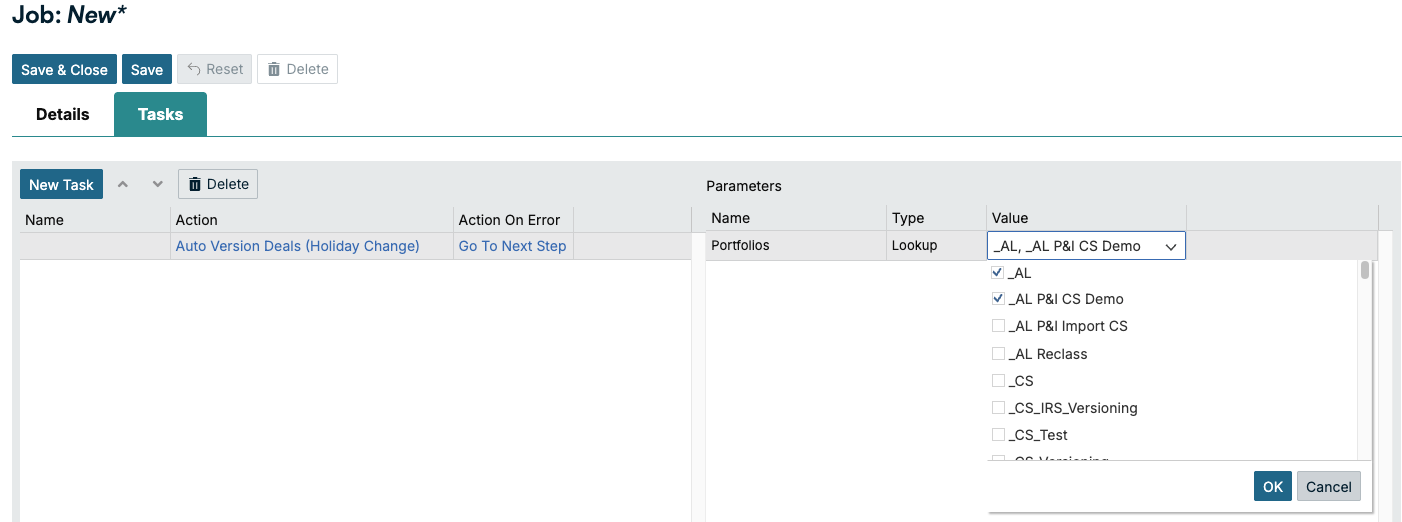
Risk: Insights
Type | ID | Title | Release Notes |
|---|---|---|---|
Enhancement | 155637 | Dynamic principal-based deal fee calculation | Deal fees can now be calculated as a percentage of the linked deal's outstanding balance. Each period's fee amount is worked out from the linked instrument's actual outstanding balance for that period. So as the principal varies over the life of the deal, every period is charged against the balance that genuinely applies to it, rather than a single amount locked in at the time the fee was set up. This release addresses two long-standing gaps in how deal fees behaved:
Key Functions:
What It Supports:
Accounting for a Portion of Interest If part of the return on a facility needs to be recognized under a different ledger treatment than the main interest, you can:
The fee then rises and falls with the balance exactly like the interest does, but its amounts post to the accounts you specify for the fee, letting you treat that slice of interest income differently in the ledger while keeping it tied to the same underlying deal. What It Doesn't Do
What You Can Do
|
Enhancement | 159469 | Configuration Custom Fields by Instruments and Products | You can now control which deals a Deal-level custom field applies to, so the deal's Custom Fields tab and the Deal Confirmation advice show only the fields that are actually relevant to that trade.
Products (set up under Common Data > Products) are a more precise grouping than instrument type. For example, a single instrument type like IR Swap may contain several products such as USD 5Y IRS and EUR 10Y IRS. Together these enhancements let you tailor visibility from the broad instrument type right down to the individual product. The two controls work independently and together: if a custom field has both an instrument-type and a product restriction, the field is shown only when both match the deal. How Visibility is Controlled Visibility can now be controlled at two levels, both new in this release:
Both are optional and additive. Leaving a level blank means there’s no restriction at that level (applies to all). Product filtering builds on instrument type: the product list on the configuration page is automatically filtered by the instrument types you've selected. Configuration for Existing Custom Fields
Feature Flags Each enhancement is delivered behind its own feature flag and must be enabled for your tenant before the corresponding selector and filtering take effect:
The two flags are independent. Because product filtering builds on the instrument-type selection, both flags are typically enabled together for the full experience. If a selector does not appear, confirm the relevant flag is enabled for your tenant and that the field's Field Application is set to Deal. Where it Applies (Impacted Screens and Reports) Instrument-type and product filtering are applied in these places:
Where it Doesn't Apply
Data Safety
What You Can Do
|
Enhancement | 159689 | Letter of credit extension maturity availment | You can now change a letter of credit (LC) expiry (maturity) date directly from the A Why This Helps Extending (or, where permitted, shortening) an LC’s maturity is now handled as a normal lifecycle event on the Availment screen. This means:
What it Supports
What it Doesn't Support
What You Can Do
|
Platform: Architecture
Type | Title | Release Notes |
|---|---|---|
Enhancement | Ripple Treasury Platform rebrand | Across the Ripple Treasury Platform, the menu is changed to our Ripple colors and all Ripple Treasury references and logos are replaced with Ripple Treasury. |
2026 R6 Release Highlights
R6 brings a redesigned worksheet experience, bigger and smarter uploads, and new bank connectivity.
This release modernizes worksheet management with a new browsable, filterable interface, while Cash Forecasting gains larger 150MB uploads, automated GT API data flows, and XRP currency support to keep pace with growing data volumes. New Barclays and Wells Fargo connectors expand direct bank connectivity, and underlying improvements to error handling and validation make the platform more reliable behind the scenes.
Release date: July 11, 2026
Release version: R6
Enhancements: 20
Bug fixes: 1
Announcement
SOC reports are out early. You can access them now. We recommend you bookmark this page for future SOC bridge letters and reports.
Liquidity Management
A Faster Way to Manage Worksheets
Browse, search, filter, clone, delete, and favorite worksheets in the new Worksheet List — a modern interface for managing your setups in one place.
More Reliable Behind-the-Scenes Processing
Improved GL validation, standardized API error messages, and steadier Cash Forecasting integration authentication reduce errors and interruptions in automated processing.
Cash Forecasting
Bigger Uploads, Fewer Upload Headaches
File upload limits rise to 150MB, and uploads now surface multiple errors at once so you can fix issues faster without repeated back-and-forth.
Smoother, Faster Cash Forecasting
Automated GT API data flows reduce reliance on SFTP, XRP is now a supported currency, and faster page loads plus CSV export improve day-to-day performance.
Risk: Advanced Foreign Exchange
Exposure Release Fix Restores Full Functionality
The Release checkbox on the Period Close Release Review tab now correctly releases all related exposure pieces to P&L accounting entries as expected.
Risk: Financial Instruments
Stronger Governance With Optional Four-Eyes Approval
Organizations can now require a second authorized approver before changes take effect across treasury approval rules and limit sets, strengthening segregation of duties.
Platform: ClearConnect
New Bank Connectivity: Barclays and Wells Fargo
New connectors add Barclays balance and transaction reporting across the UK, Europe, US, and India, plus Wells Fargo wire payment initiation with status tracking.
2026 R6 Release Notes: July 2026
Liquidity Management
Type | ID | Title | Release Notes |
|---|---|---|---|
Enhancement | 152541 | Transaction assignment rules: Add remainder general ledger (GL) account validation in CreateGL processor | Enhanced the GL processing workflow to validate remainder accounts before execution, preventing errors that could interrupt automated transaction runs. |
Enhancement | 157733 | Implement Worksheet List API endpoints for Liquidity UI | Added API support for the new Liquidity Worksheet List, enabling retrieval, search, filtering, sorting, and management of worksheets. |
Enhancement | 157734 | Build Liquidity Worksheet List page in React UI | Introduced a new Worksheet List page in the Liquidity UI, allowing you to browse, search, filter, sort, and manage their worksheets in a modern interface. |
Enhancement | 157853 | MT940 Plugin: Add SKIP_VOID_ON_CROSS_BATCH option to prevent voiding when multi-sequence statements are processed as separate jobs in reverse order | Added a new configuration option to prevent incorrect balance adjustments when bank statement files with multiple sequences are imported out of order. |
Enhancement | 157978 | Worksheet Clone button to legacy clone setup page | Added a Clone button to the Worksheet List, allowing you to quickly duplicate existing worksheet configurations. |
Enhancement | 157979 | Worksheet Delete button: Delete via GT.Cash API | Added a Delete button to the Worksheet List with a confirmation prompt to safely remove worksheets. |
Enhancement | 157981 | Worksheet Favorite button: Toggle Favorite via API | Added a Favorite toggle to the Worksheet List, allowing users to mark frequently used worksheets for quick access. |
Enhancement | 158405 | Cash Forecasting integration: Add eventType, eventId, createdDate, updatedDate to BankTransaction ById response | Enhanced the Bank Transaction detail view to include event type, event ID, and timestamp information for improved Cash Forecasting integration. |
Enhancement | 158407 | Cash Forecasting integration: Improve token validation reliability | Improved authentication handling in the Cash Forecasting integration to maintain uninterrupted service during routine security credential updates. |
Enhancement | 158861 | Part 1: Add all the RFC 7807 error-handling files based on POC | Added foundational error-handling framework to the Cash API to support consistent, standardized error responses in future updates. |
Enhancement | 158862 | Standardize API exception handling and response format (RFC 7807) | Standardized error response format across the Cash API to provide consistent, structured error messages for all API consumers. |
Enhancement | 158901 | Part 2: Migrate the Worksheet controller to the RFC 7807 standard | Applied the new standardized error response format to the Worksheet API endpoints, delivering clearer and more consistent error messages. |
Cash Forecasting
Type | Title | Release Notes |
|---|---|---|
Enhancement | Larger file uploads, now up to 150MB | Most uploads sections have been raised to 150MB as customers continue to ingest larger data volumes. |
Enhancement | GT API integration expanded: move from SFTP to automated data flows | Expanded the GT API integration so many clients can move off SFTP uploads to a more flexible, automated flow. |
Enhancement | XRP now supported as a currency in Cash Forecasting | XRP is now selectable as a currency in Cash Forecasting. |
Enhancement | Uploads now surface multiple errors at once for faster self-debugging | Uploads now show many errors at once so customers self-debug faster. |
Enhancement | Performance, stability, and developer experience improvements | This release includes faster sheet page loads and improved query performance on large datasets, rate tables rebuilt in React for a smoother experience, CSV export for line items. |
Platform: Connectivity
Type | ID | Title | Release Notes |
|---|---|---|---|
Enhancement | 157539 | Create Barclays Bank connector for balance and transaction reporting | A new Barclays connector is available for balance and transaction reporting via the Barclays Corporate Banking API, with support across UK and Europe, US, and India regions, authenticating via OAuth 2.0 with JWS and certificate-based security. Enables on-demand balance and transaction retrieval for Barclays customers. |
Enhancement | 158094 | Wells Fargo payments connector: Wire, ACH, and Instant Payments (Phase-1 Wired completed) | A Wells Fargo payments connector has been delivered, with Wire (SWIFT) payments completed in this phase. The connector follows the standard extract and status-update flow architecture and was validated against the Wells Fargo UAT environment, enabling Wells Fargo customers to initiate wire payments directly from Ripple Treasury with status tracking. ACH and Instant Payments are planned for a later phase. |
Risk: AFX
Type | ID | Title | Release Notes |
|---|---|---|---|
Fixed | 117882 | Users Unable to release exposure pieces via the release window | This is to fix the functionality of the Release checkbox on the Period Close window Release Review tab to release all related exposure pieces of the selected exposures to the P&L accounting entries. |
Risk: FI
Type | ID | Title | Release Notes |
|---|---|---|---|
Enhancement | 158754 | Insert View permission on User Groups for Treasury Limits permission category | As part of our ongoing enhancements to multilevel deal approvals, we are introducing four-eyes workflow control across all limit modules, including treasury approval rules and limit sets. This gives organizations the option to apply a second layer of oversight to changes within these areas, supporting stronger governance and segregation of duties. Alongside this, we have formalized view access to limit set data so that access can be managed consistently going forward. Previously, all users could view limit set information without any specific access control in place. With this release, we have introduced a dedicated view permission for limits, allowing access to be governed in a structured way. To preserve continuity, all existing users and user groups have automatically been granted view access to the limits module, in line with how the system behaves today. This means there is no change to what your users can currently see. In addition, the new four-eyes workflow control is now available across the limit modules. When enabled, this requires a second authorised user to review and approve changes before they take effect, reducing the risk of unintended or unauthorised modifications. No action is required to maintain existing view access. This has been preserved automatically for all current users and user groups. Day-to-day visibility of limit set data continues exactly as before. For organizations that wish to activate the new four-eyes workflow control, this is an opt-in capability. Enabling it will introduce an approval step into the relevant limit workflows, so we recommend reviewing how it fits your internal processes before switching it on. This enhancement applies to clients using the limits functionality, specifically across:
Users interacting with limit-related dashboards, exposure reporting, and deal approval workflows will benefit from the improved access management and optional approval controls. If you would like to take advantage of the new four-eyes workflow control, we recommend planning the rollout in line with your organization's approval and governance requirements. To enable this control or to discuss how it can be configured for your environment, please reach out to the Ripple treasury team for consultancy. |
2026 R5 Release Highlights
R5 gives treasury teams greater control over interest rate deal management, introduces multi-level breach approval workflows, and expands bank connectivity with Bank of America CashPro.
This release delivers a suite of improvements to interest rate instruments, giving users direct control over rate tenors and preserving deal configurations through renegotiations. A new preview feature brings structured, multi-level deal breach approval to the platform. Under the hood, EIR amortization now correctly inherits day count conventions from parent deals, ensuring more reliable IFRS 9 compliance across your portfolio.
Release date: June 6, 2026
Release version: R5
Enhancements: 12
Bug fixes: 1
Cash Forecasting
Faster, More Modern Cash Forecasting Experience
Performance optimizations and UI modernization make the application snappier and easier to navigate, with routine data administration tasks now manageable directly within the application.
Extended Look-Back for Payment Profile Refinement
Smart Ledger now supports a 12-month look-back period when refining payment profiles, giving businesses with seasonal or longer payment cycles a more representative baseline.
Risk: AFX
CAD and CNH Forward Points Corrected at Period Close
The fallback logic for CAD and CNH forward point rows has been fixed, ensuring missing rows are correctly created before values are updated during period close.
Risk: FI
Multi-Level Deal Breach Approval (Preview)
Ripple Treasury now routes deals that exceed counterparty group limits through a configurable, multi-step approval workflow. Designated approvers action deals from a new Deal Approvals screen; deals in Pending Approval are locked for editing until resolved.
Interest Rate Instrument Enhancements
Floating-rate loans and deposits now support independently configurable tenors and rate reset frequencies; renegotiations preserve the configured roll day; and EIR amortization now correctly inherits the parent deal's day count convention.
Platform: ClearConnect
Connect Bank of America CashPro for Automated Payments
Initiate ACH transfers, domestic and foreign wires, FX wires, and real-time payments directly from Ripple Treasury with automatic payment status tracking at Bank of America.
2026 R5 Release Notes: June 2026
Cash Forecasting
Type | ID | Title | Release Notes |
|---|---|---|---|
Enhancement | CAS-4751 | Improved application performance | Behind-the-scenes database optimizations mean the application responds faster across the board. By removing redundant processes that were slowing things down, you'll notice a snappier experience. |
Enhancement | CAS-4758 | Streamlined data administration | Managing your treasury data just got easier. Routine administration tasks that previously required technical support can now be handled directly within the application, reducing delays. |
Enhancement | CR-1098 | Payment profile refinement | When refining payment profiles in Smart Ledger, you can now select a 12-month look-back period alongside the existing three-month and six-month options. For businesses with longer or more seasonal payment cycles, a full year of history gives you a more representative baseline, leading to payment profiles that better reflect how your counterparties actually behave over time. |
Enhancement | Modernized sections of Cash Forecasting UI | A cleaner, more consistent interface across the application, making it easier to navigate, faster to find what you need, and more aligned with the experience users expect from modern financial software. | |
Enhancement | CAS-4755 | Updated sender identity in email communications | Emails from the platform now come from Ripple rather than Ripple Treasury, reflecting our updated brand. |
Risk: AFX
Type | ID | Title | Release Notes |
|---|---|---|---|
Fixed | 157491 | CAD.CNH FWD pts missing | This is to fix the Fwd Points behavior on Period Close - moved the fallback logic outside the loop so missing CAD/CNH rows can be created before updating values. |
Risk: FI
Type | ID | Title | Release Notes |
|---|---|---|---|
Enhancement | 154218 | Preserve Roll Day During Renegotiation on Interest Rate Instruments | When submitting a renegotiation on interest rate instruments — including Asset Backed Securities, Loans and Deposits, Floating Rate Notes, and Interest Rate Swaps — the Roll Day field on the Details tab could be unexpectedly changed to End of Month, even when no changes to that field were intended. This release ensures the Roll Day value is preserved exactly as configured whenever a renegotiation is submitted without an explicit change to that field. |
Enhancement | 154454 | Manual interest rate tenor selection for loan and deposit deals | A new Ticker Tenor Type drop-down has been added to the Interest Details panel on Loan and Deposit deal capture. This allows users to manually select the interest rate tenor independently from the payment or rateset frequency. |
Enhancement | 157028 | FX Swap and Multi-Leg Swap instruments: Estimated balance description now includes Deal Group and Other Reference | When multi-leg swap instruments were submitted with Settlement Standing Instructions (SSIs), the estimated balance description generated for child leg cashflows was missing key fields that were correctly populated on the parent leg (most notably, Deal Group and Other Reference). This fix ensures the estimated balance description for child leg cashflows now includes the same complete set of fields as the parent leg. |
Enhancement | 157064 | Floating-rate Loan and Deposit deals sometimes have a contractual interest rate tenor that doesn't align with the payment frequency or rate reset frequency | This enhancement gives users direct control over both the rate tenor and the rate reset frequency at deal capture, eliminating the need for manual rate entry. A new Tenor drop-down allows users to specify which market data tenor the system should use for rate lookups. The existing Rate Reset Frequency field can now also be set independently from the payment frequency. |
Enhancement | 158366 | Multi-level deal breach approval preview release | Ripple Treasury now supports cumulative counterparty group limit monitoring with a structured, multi-level approval process for deals that breach those limits. When a deal is submitted and its cumulative exposure exceeds a configured threshold, the system automatically places the deal in a Pending Approval state and routes it through a configurable approval workflow before it can be confirmed. Limits can be defined by counterparty group, business unit, and instrument type and product. You can also customize how exposure is measured, applying calculation formulas that reference specific instrument details to produce an accurate and meaningful exposure figure for each limit context. Previously, limit breach detection and approval in Ripple Treasury operated through Limit Sets, which didn't support sequential, multi-level approval chains. Breach overrides were either permitted outright or flagged for review outside the system. Treasury operations and dealing teams now see a new Pending Approval status on deals that breach a configured limit. Designated approvers will action these deals from a new Deal Approvals screen, where deals are grouped by approval rule and step. Deals in Pending Approval status are locked for editing until the approval process is resolved. Activating multi-level deal breach approval requires the existing limit sets to be deactivated. Both features can't operate concurrently in the current preview build. Full integration, allowing both features to run side by side, is targeted for release by end of year. This is available as a preview release and is not enabled by default. If your organization operates tiered treasury approval policies and you are interested in exploring this capability, or you would like to share your requirements and help shape the full release, reach out to your Ripple Treasury team. We welcome early adopters and are actively incorporating client feedback into the product roadmap. Refer to:
|
Enhancement | 155871 | Fix EIR deal fee day count convention inheritance from linked deal | Deal fees using effective interest rate (EIR) amortization are linked to a parent deal, such as a bond, loan deposit, or floating rate note. EIRs spread transaction costs over the life of the instrument under IFRS 9. Previously, the amortization calculation used the day count convention configured on the deal fee itself rather than the one defined on the linked parent deal. Because deal fees default to ACT/365F, this meant that fees linked to deals using a different convention, such as 30/360, produced materially incorrect amortization amounts, carrying values, and P&L figures. This release corrects that behavior. The EIR amortization engine now inherits the day count convention directly from the linked parent deal when calculating amortization schedules for deal fees. This applies to fees linked to bonds, loan deposits, and floating rate notes across all three EIR amortization types. For example, when a parent deal uses 30/360 period day counts, the resulting amortization amounts reflect that convention consistently across the full life of the instrument, producing figures that are materially correct and aligned with the underlying deal's terms.
Users managing deal fees linked to instruments with a day count convention other than ACT/365F will see changes to their EIR amortization schedules, period day counts, and associated carrying amounts and P&L figures under effective rate and effective rate – rate reset amortization types. These revised figures represent the correct output under IFRS 9. Deal fees linked to ACT/365F parent deals and those using monthly effective rate or straight line amortization are unaffected. Please contact your Ripple Treasury representative if you have any questions or would like assistance assessing the impact on your portfolio. |
.png?sv=2026-02-06&spr=https&st=2026-10-08T00%3A39%3A56Z&se=2026-10-08T03%3A56%3A56Z&sr=c&sp=r&sig=A4EMjw7pDJmMZVqF2fHh9lnkqbr1dlfxOqtlfsYTGzc%3D)
Platform: ClearConnect
Type | ID | Title | Release Notes |
|---|---|---|---|
Enhancement | 155746 | BofA payments connector: ACH | Connect your Bank of America CashPro accounts to Ripple Treasury for automated payment processing. Once set up, you can initiate payments directly from Ripple Treasury, including ACH transfers, domestic wires, foreign wires, FX wires, and real-time payments. Ripple Treasury automatically tracks payment status at Bank of America. |
2026 R4 Release Highlights
Define carry-forward rules, automate Letter of Credit accounting, and rely on a more dependable Ripple Treasury
This release gives you more control over how forecasts evolve over time, with configurable carry-forward rules that let you decide exactly how overdue AP and AR balances flow into future periods. Risk now supports full GL automation for Letter of Credit deals across the complete range of LC events, with bulk data integration via CSV and XML. Reliability improvements across Connectivity and Payments mean the platform handles everyday operations with fewer interruptions.
Release date: May 9, 2026
Release version: R4
Enhancements: 18
Bug fixes: 6
Cash Forecasting
Forecast on Your Own Terms with Carry-Forward Rules
Configure exactly how overdue AP and AR flow into future periods—specify percentages and timing instead of relying on default spread assumptions.
A Cleaner, Faster SmartLedger Experience
A refreshed interface and improved onboarding make Cash Forecasting faster to navigate and easier to set up.
Payments
Reliable Payments with Better Diagnostics
PACS payment jobs now complete consistently without manual retries, and failed jobs surface plain-language error messages organized by processing phase.
Platform: Connectivity
Keep Credentials Intact through Connector Changes
HTTP listener credentials are preserved through connector deactivation and reactivation—no more reconfiguring API keys with your bank after a routine change.
More Control Over Who Sees Your Scheduled Jobs
Admins can now set view permissions on all risk scheduled jobs, controlling which user groups see job status and logs.
Risk: AFX
More Reliable AFX Connections and Communications
Sender email addresses have been updated to valid shared mailboxes, and the FXALL integration certificate has been replaced to prevent future connection failures.
Risk: FI
Expanded Hedging and Financing Capabilities
Floating-rate instruments can now be added to CCIRS fair value hedges, and correspondent bank details can be captured directly on bank account records.
Period-End and Average FX Rates in One Report
The new Currency Rate Period End and Average report delivers both period-end and monthly average FX rates per currency pair in a single view, simplifying month-end close and supporting ASC 830 and IAS 21 compliance.
Risk: Insights
Letter of Credit: Full Accounting and Data Integration
LC deals now support GL Mappings, GL Processing, and Import/Export Definitions—covering both Import LC and Export LC flows across all accounting events.
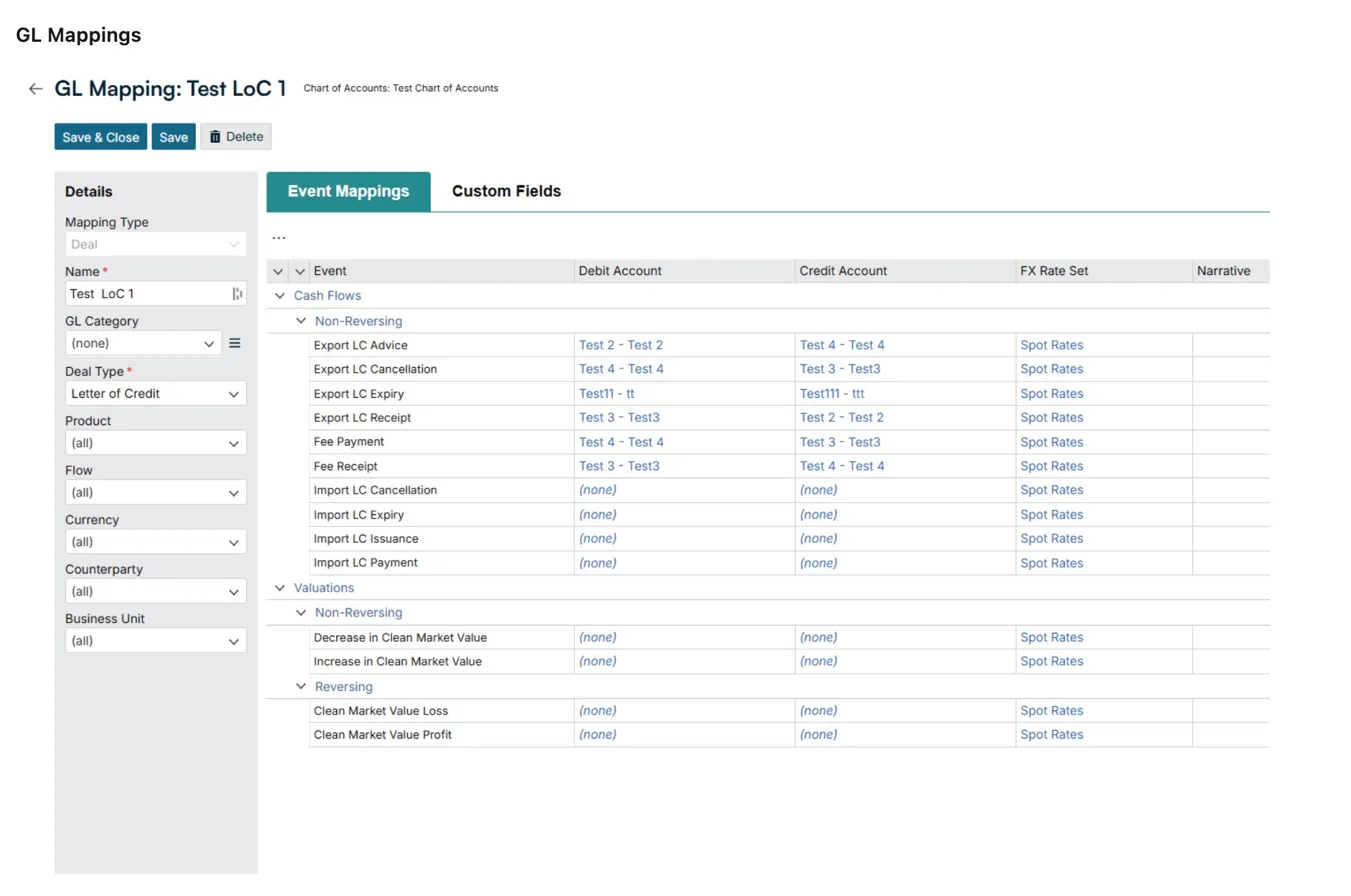
2026 R4 Release Notes: May 2026
Cash Forecasting
Type | Title | Release Notes |
|---|---|---|
Enhancement | Precision invoice forecasting SmartLedger | You can now configure exactly how overdue invoices flow into future forecast periods. Previously, SmartLedger would spread overdue AP and AR amounts across multiple periods, an approach that rarely reflects how your business actually collects or pays. With the new Carry Forward Rules, you define your own schedule: specify the percentage to carry forward and when (for example, 50% to next Tuesday and 50% to next month). Your forecast mirrors your actual payment and collection behaviour, not a default assumption. |
Enhancement | Payment profile refinement | When refining payment profiles in SmartLedger, you can now select a 12-month lookback period alongside the existing 3-month and 6-month options. For businesses with longer or more seasonal payment cycles, a full year of history gives you a more representative baseline, leading to payment profiles that better reflect how your counterparties actually behave over time. |
Enhancement | Modernized sections of the UI | A cleaner, more consistent interface across the application, making it easier to navigate, faster to find what you need, and more aligned with the experience users expect from modern financial software. |
Enhancement | Onboarding UI and UX improvements | Getting up and running with Cash Forecasting is now more intuitive. Clearer guidance and a more streamlined flow means less time figuring out the setup and more time getting value from the platform. |
Enhancement | Upgrades to application instrumentation | When something goes wrong or a question comes up, our team can now diagnose and resolve issues faster than before. Improved visibility into how the application is performing means quicker, more informed support so problems get fixed sooner and with less back-and-forth. |
Payments
Type | ID | Title | Release Notes |
|---|---|---|---|
Enhancement | 151957 | ExPayment PACS: Mitigate deadlock issue | We improved the reliability of PACS payment extract jobs, which could previously slow intermittently when running concurrently or under higher load. Payment extract jobs now complete consistently without requiring manual retries, ensuring a smoother, more dependable payment processing experience. |
Fixed | 152782 | DB connection failure: Exception within transport service | We resolved an intermittent issue where the bank connection could fail with a database connection error when looking up company tenant information. Affected workflows will now complete reliably without requiring manual intervention. |
Enhancement | 153936 | Implement clear logs for 'Failed' ExPayment jobs | When a payment job fails, you'll now see plain-language explanations of what went wrong and where in the process the failure occurred. Error messages are organized by processing phase, making it easier to diagnose common issues directly from the job logs or know exactly what to share with Ripple Treasury Support if you need assistance. |
Platform: Connectivity
Type | ID | Title | Release Notes |
|---|---|---|---|
Enhancement | 154334 | Expand View Job permission to all risk jobs | You can now set view permissions on all risk scheduled jobs. The CanViewJob permission gives system administrators granular control over which user groups can see a job's status, logs, and run details across the Job Status and Scheduled Jobs screens. This means you can restrict sensitive job visibility to specific teams while keeping other jobs open to your broader user base, all from the same permission tree you already use to manage user group access. If you are interested in enabling this feature, please reach out to support for enablement. |
Enhancement | 156498 | EBICS Payment Issue fix: A005 and A006 | Corrected the EBICS order-level signature version from A005 (PKCS#1 v1.5) to A006 (RSA-PSS) to resolve DS16 payment rejections on XG1 uploads to Deutsche Bank (Bitpanda connector). |
Enhancement | 153620 | Persist HTTP listener credentials when connector is deactivated | HTTP listener credentials (API keys, basic auth) are now preserved when a connector is deactivated and reactivated. Previously, deactivating a connector deleted its client credentials, requiring administrators to reconfigure them with their bank or third-party provider. Credentials now persist through deactivation/reactivation cycles and are only regenerated when explicitly requested. The UI now displays a confirmation dialog when regenerating credentials and shows context-appropriate button labels (Activate vs. Reactivate, Generate vs. Regenerate). |
Fixed | 155518 | Balance-reporting-import: Stale system lock in dbo.SIGNOUT_INFO causes silent import failures - "Skipped due to partner processing in progress" | Fixed an issue where the balance report import pipeline could silently stop processing if a previous import run was interrupted. A stale system lock in the database would cause all subsequent import runs to be skipped with no error surfaced to users, resulting in missing transaction and balance data. The system now detects and clears stale locks automatically, ensuring balance imports resume reliably after unexpected interruptions. |
Fixed | 152765 | Job finalization exceptions are silently swallowed, leaving jobs stuck in "Processing" status | Fixed an issue where jobs could become stuck in "Processing" status after completing execution. When a database error occurred during the job finalization step, the error was silently discarded, leaving the job in an incomplete state with no error logged. Job finalization errors are now properly logged and surfaced, and the retry logic for transient database errors during finalization is now functional. This affects plugin Cash jobs running through the GT Job Runner. |
Risk: Advanced Foreign Exchange
Type | ID | Title | Release Notes |
|---|---|---|---|
Enhancement | 155127 | Replace potentially invalid email addresses | As part of the shared mailbox and distribution list migration, we checked the sender email addresses used within the application. When we found a sender email address error, we replaced it with a known valid active shared mailbox and distribution list. |
Fixed | 157062 | Integration fails due to certificate issue | The FXALL certificate used in AFX was replaced to prevent future integration failures. |
Risk: Financial Instruments
Type | ID | Title | Release Notes |
|---|---|---|---|
Fixed | 155085 | Deal Report: Include capitalized interest events in Live-to-Date Principal Calculation | In deal reports, "Amount" and "Live-to-Date Principal Paid" now includes Capitalized Interest. For deals structured with capitalizing interest, the deal report was understating the principal balance. Capitalized interest events were being excluded from the calculation. This has been corrected for capitalizing deals across Loan & Deposit, Credit Foncier, Bond, FRN, and ABS instrument types. |
Enhancement | 155198 | Custom schedule: Day 1 repayment support for Loan Deposit deals | Duplicate date validation no longer applies to dates equal to the deal's start date. For fixed rate deals, Rate, Margin, and Capitalize Interest fields are automatically disabled on Day 1 repayment dates. |
Enhancement | 155597 | Add floating rate instrument to CCIRS fair value hedge | A floating rate instrument can be added to a fair value hedge with a cross currency swap. The normal hedge accounting methods still apply. |
Fixed | 155599 | Floating-rate instruments: Rate reset schedule correction | Corrects an issue affecting floating-rate instruments configured with an overnight index reference rate, a simple interest method, and a non-daily reset frequency. Rate reset schedules now align fully to the First Roll date as configured on the instrument. |
Enhancement | 155925 | Bank accounts: Correspondent bank details capture | You can now capture and save correspondent bank details directly against a bank account record in Risk. This capability is controlled by a feature flag and must be enabled for your organization before it becomes available. |
Enhancement | 156058 | Facility-linked deal saves: timeout resolved | Previously, you could encounter a timeout error when attempting to save or submit a deal that had an associated facility. The system would fail to complete the save, preventing deal workflow progression. A background process that runs whenever a facility is attached to a deal for Drawdown Exchange Rate processing was executed in full regardless of whether it was applicable to the deal's configuration, causing the operation to time out. This process has been updated to run only where relevant, eliminating the potential timeout. No action is required. The fix is applied automatically. Deal results and calculated values are unaffected: output is identical before and after the change. If you experienced timeouts when saving or submitting facility-linked deals, you should find that these operations now complete successfully. No steps are required on your part. If you continue to experience issues saving or submitting facility-linked deals after this release, please contact your GT representative. |
Enhancement | 156812 | Add new custom report view: Currency Rate Period End and Average | We have introduced a new custom report view: Currency Rate Period End and Average. This report gives treasury and finance teams direct access to both Period End and Monthly Average FX rates for each currency pair within a single consolidated report. This enhancement simplifies month-end and period-close reporting workflows and supports compliance with foreign currency accounting standards, including ASC 830 and IAS 21. The Currency Rate Period End and Average report is now available as a data source within our reporting framework. For each currency pair and each calendar month, the report delivers two key FX rate types in a single stacked view:
The report includes the following columns: Currency From and Currency To (code and description), FX Rate Scenario, FX Rate Source, FX Rate, Rate Date, Month End Date, Rate Type (Period End or Monthly Average), Last Updated, and Was Calculated. A Currency Pair convenience column is also provided for easy filtering and grouping. Users performing month-end FX reporting, balance sheet translation, or income statement translation no longer need to manually extract rate data from separate sources or derive averages and period-end values outside the system. Both rate types are now available together in a single, audit-ready report. The report is now available in the Report Designer under Data Sources. No additional setup or configuration is needed on your end. |
Risk: Insights
Type | ID | Title | Release Notes |
|---|---|---|---|
Enhancement | 157129 | Letter of Credit: General ledger mappings and processing | This release extends GL Mappings configuration and GL Processing to cover Letter of Credit (LC) deals, enabling treasury accountants to record all LC financial events as balanced, double-entry journal entries directly within the system. Both Import LC and Export LC flows are now supported. Users can now configure GL Mappings for LC deals and generate journal entries across the full range of LC accounting events, including Issuance, Advice, Payment, Receipt, Cancellation, Expiry, and Fee Payment/Receipt. Non-cash events (such as issuance, advice, cancellation, and expiry) and cash events (payments, receipts, and fees) are all included within the Cash Flows accounting source. LC deals also inherit the standard valuation events used across non-derivative instruments. No immediate action is required to benefit from this change. Users wishing to configure GL Mappings for Letter of Credit deals should navigate to the GL Mappings page, select Deal Type: Letter of Credit, and configure debit and credit accounts for the relevant events. Once mappings are saved, GL Processing will generate journal entries for all supported LC events.
|
Enhancement | 157130 | Letter of Credit: Import and export definition support | Letter of Credit (LC) deals can now be included in Ripple Treasury Platform's Import and Export Definitions framework. Users can configure import and export definitions specifically for LC instruments, enabling bulk ingestion and extraction of LC deal data via CSV or XML. This release also introduces configurable field mappings tailored to LC data, including LC Type, UCP Version, LC Status, and Expiry Date. With this release, Letter of Credit is available as a selectable sub-category under the Deals category within Import and Export Definitions. When selected, the field mapping configuration displays the full set of LC-relevant fields, correctly excluding fields not applicable to LC instruments (such as interest detail fields and Maturity Date) and including LC-specific fields such as Expiry Date, LC Type, UCP Version, and LC Status. No action is required on existing records. Users wishing to configure LC import or export definitions should navigate to Import and Export Definitions, select Category: Deals and Sub-Category: Letter of Credit, and configure field mappings as required. |
2026 R3 Release Highlights
Manage Letters of Credit, Monitor Digital Assets, and Analyze FX Hedge Performance without Leaving Ripple Treasury
This release extends what you can handle directly in the platform, from full LC lifecycle management and digital asset visibility to richer FX hedge analytics. Underlying improvements to cash forecasting performance, formula reliability, and FX settlement accuracy mean the platform works harder so your team doesn't have to.
Release date: April 11, 2026
Release version: R3
Enhancements: 18
Bug fixes: 2
Cash Forecasting
Forecasts That Run without Babysitting
Performance improvements and a more reliable formula engine mean your models process faster and calculate more consistently, even under heavy system load. Peak time delays and budget miscalculations are resolved.
Rule Cleanup in One Click
You can now delete multiple bank matching rules at once, and transaction data flowing from Liquidity Management into Cash Forecasting is more reliable. You get less manual cleanup and fewer forecast input failures.
Liquidity Management
Fiat and Digital Assets in One View
Connect your digital asset accounts alongside your bank accounts and see everything in one place. View balances, cash flow forecasts, and treasury reports across both fiat (government-issued) currency and digital assets.
Platform: Architecture
Payment Template Groups, Ready to Use Instantly
When you create a new payment template group, view and edit access is granted to you automatically. No separate permissions workflow required.
Platform: Market Data
Broader FX Coverage Out of the Box
EUR-AED, EUR-RON, and AUD-CAD volatilities are now available, along with synthetic values for USD-MXN currency basis tickers. No custom configuration required.
Risk: Financial Instruments
See Your Full Hedge Program Performance (Preview)
The FX Dashboard now shows best- and worst-case hedging rate ranges for collar programs, isolates spot performance, and measures gain or loss against your budget rate. You get all this in one consolidated view.
Fewer Settlement Errors, More Confidence
Fixes to FX option close-outs, cash-settled sell options, same-day SSI processing, holiday calendar recalculations, and settlement tolerance enforcement mean events, cashflows, and schedules reflect correctly. No manual intervention needed.
Risk: Insights
Letter of Credit Lifecycle Management (Preview)
Manage the full lifecycle of letters of credit (issuance, amendments, drawings, and expiries) inside Ripple Treasury, with automated fee accrual, real-time facility utilization, and event-based accounting replacing manual tracking.
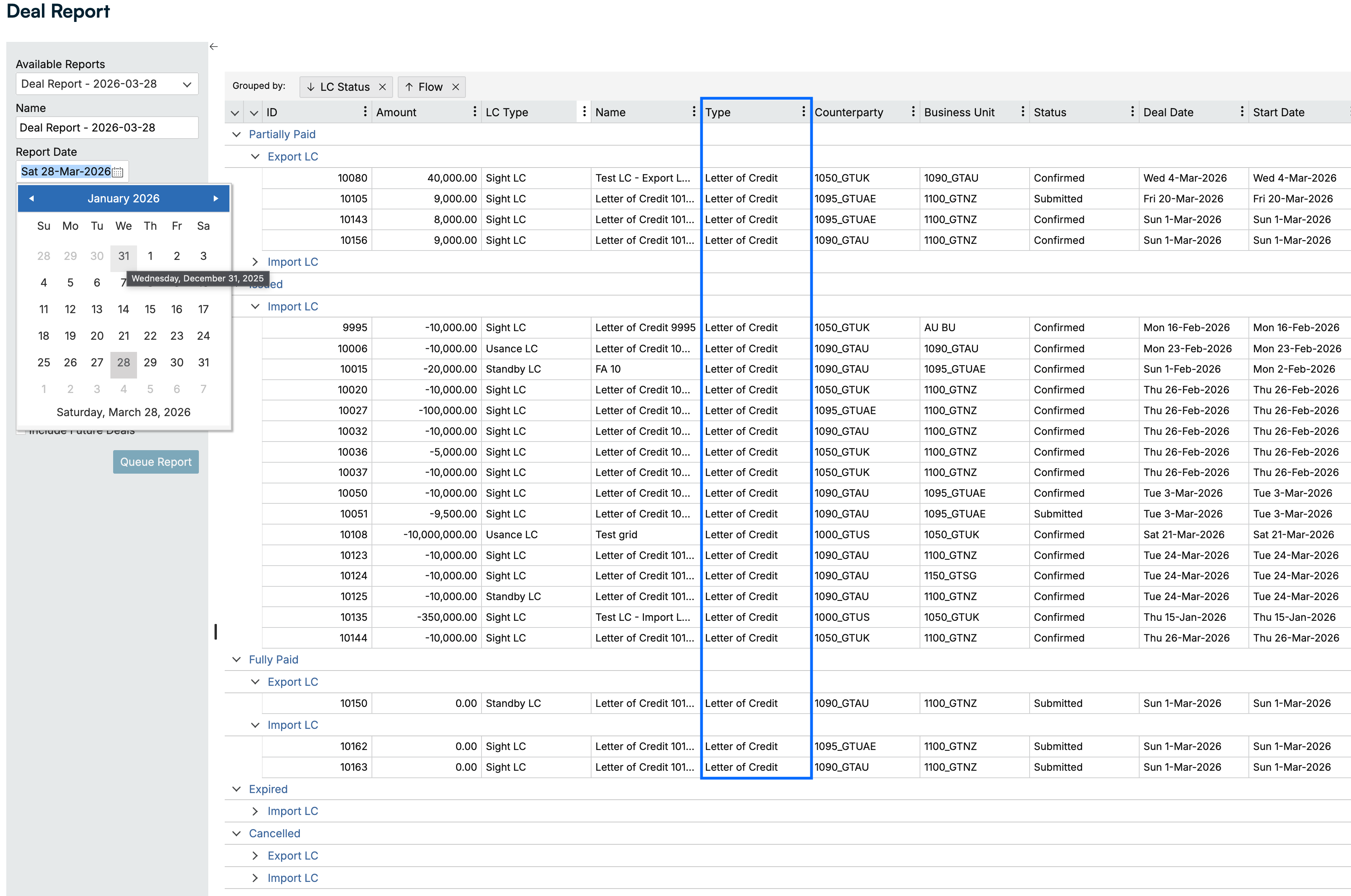
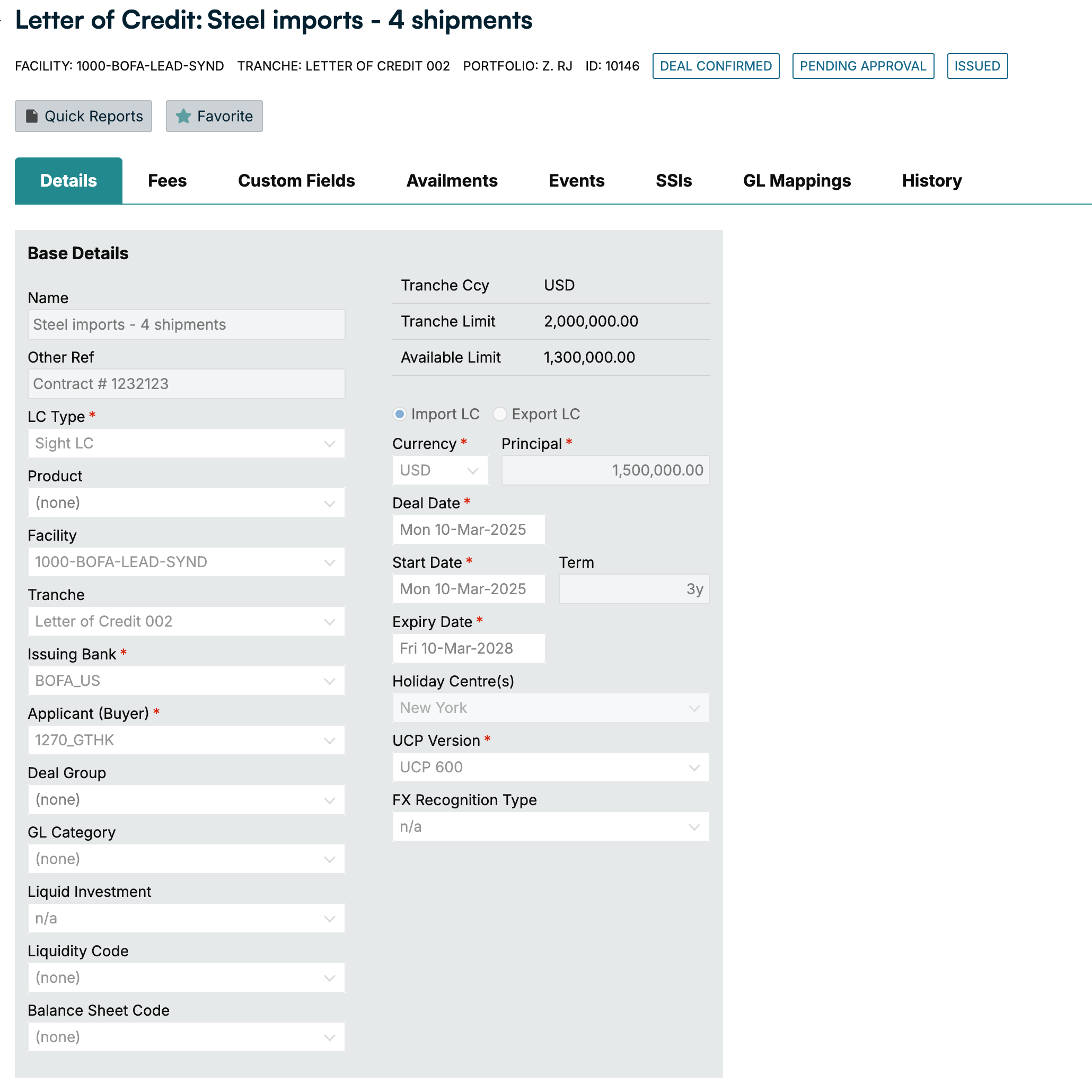
2026 R3 Release Notes: April 2026
Cash Forecasting
Type | ID | Title | Release Notes |
|---|---|---|---|
Enhancement | OPS-886 | Bulk delete for bank matching rules | You can now delete multiple bank matching rules at once, saving significant time for users managing large rule sets. What previously required deleting rules one by one can now be done in a single action, making it faster and easier to keep your matching rules organized. |
Enhancement | Cross-solution integration improvements | The transfer of bank transaction data between Liquidity Management and Cash Forecasting has been re-engineered to improve speed, reliability, and resilience. This reduces the risk of delays or failures in your forecast inputs. | |
Enhancement | CAS-3033 | Improved budget allocation for daily models | Budget allocation in daily models now correctly accounts for weekends when they are turned off, distributing values accurately across working days only. This ensures your daily budgets reflect your actual working week without the need for manual adjustments. |
Enhancement | Improved system performance at peak times | Processing jobs are now distributed more evenly across all customers, ensuring a consistently fast experience regardless of system load. You'll notice more reliable performance during busy periods, with less risk of delays when the system is under heavy demand. | |
Enhancement | CAS-3014 | More reliable formula engine | Improvements to the formula engine mean complex formula chains behave more consistently and predictably, giving you greater confidence in your forecast calculations. |
Liquidity Management
Type | Title | Release Notes |
|---|---|---|
Enhancement | Digital assets available to view in Ripple Treasury (already live) | You can now connect your digital assets using Ripple account or another custodian. Once your digital asset accounts are connected, Ripple Treasury provides a unified view of fiat (government-issued) currency and digital assets. The Ripple Treasury Platform lets you manage fiat and digital assets together in one place, including standard treasury reports and cash flow forecasts. This supports using digital assets as a bridge for near real-time international settlement (seconds instead of three to five business days). |
Platform: Architecture
Type | ID | Title | Release Notes |
|---|---|---|---|
Enhancement | 146496 | Automatic addition of payment template group access to user groups | We have automated permission settings so that when any authorized user creates a new Payment Template Group, that user automatically receives approval to view and edit the newly created Payment Template Group without going through a separate permissions workflow. |
Fixed | 154658 | Hidden user disrupting workflow | Resolved an issue where out of sync system users were causing errors during user group creation and permission setting workflows. |
Platform: Market Data
Type | ID | Title | Release Notes |
|---|---|---|---|
Enhancement | 155293 | Add placeholders for EUR-AED and EUR-RON to the historical data section | New currency pairs EUR-AED and EUR-RON added to market data. |
Enhancement | 155383 | AUD-CAD volatilities market data | AUD-CAD FX volatilities market data. |
Enhancement | 155428 | Add formulas for MXN currency basis tickers, which use MXN and USD OIS plus forwards | Formulas for synthetic values added for USD-MXN currency basis tickers. |
Risk: Financial Instruments
Type | ID | Title | Release Notes |
|---|---|---|---|
Enhancement | 152699 | FX dashboard: Performance best and worst scenario analysis for spot and other FX hedges (preview) | This preview release brings multi-instrument hedging visibility into the FX Dashboard. This results in a single, consolidated view for:
Layout, presentation, and certain details may be refined based on pilot feedback ahead of general availability. What's New:
This preview is available to those who would like early access. To request access or provide feedback, please contact your account representative or support team. |
Enhancement | 153703 | When selecting Capitalized Interest and Tax, the full gross interest amount is added to the capitalized principal | This release introduces an improvement to how capitalized interest is calculated when tax is applicable on a Loan or Deposit. The system now capitalizes the net interest amount (interest minus tax) to the new principal, rather than the gross amount. When a Loan or Deposit instrument has both Capitalized Interest and Tax enabled, the system previously added the full gross interest amount to the capitalized principal. With this update, the tax portion is correctly excluded from the capitalization, and only the net amount rolls over into the new principal. For new deals, no action is required. New Loan and Deposit deals with Capitalized Interest and Tax enabled automatically apply the net calculation going forward. For existing deals, users will need to resave the deal to apply the updated calculation. We recommend reviewing any active Loan and Deposit instruments where both Capitalized Interest and Tax are enabled and resaving them to ensure the net capitalization logic takes effect. This applies to everyone using the Capitalized Interest feature on Loans or Deposits where tax is also enabled. |
Enhancement | 154409 | Fix apply SSI job EventDate filter excluding same-day financial events | This release improves the Apply Settlement Instructions (SSI) scheduled job to ensure that financial events with same-day or backdated value dates are correctly included in the SSI assignment process. Previously, certain events, particularly those with a value date falling on the same calendar day as the job execution, could be unintentionally skipped during processing. With this release, the date comparison has been refined to ensure that all eligible financial events are captured regardless of when during the day the job runs. This is especially relevant for event types such as Principal Drawdowns, which commonly have same-day value dates. This enhancement requires no action or configuration changes. The Apply SSI job will continue to run on its existing schedule, and SSI rules will be applied using your current configuration. |
Enhancement | 154625 | FX option close-out error for PHP | This release addresses two issues encountered during the close-out of FX Options on non-deliverable (NDF) currencies such as PHP.
If your trading activity includes FX Options, FX Collars, or other structured FX products, we recommend turning the currency-level Non-Deliverable setting off and managing the NDF flag at the individual deal level instead. |
Enhancement | 154843 | Fix FX option sell cash settled event suppression logic | This release corrects the settlement event behavior for Sell FX Options with Cash Settled enabled, ensuring that settlement events are accurately generated or suppressed based on whether the option finishes in or out of the money at exercise. Cash Settled Sell FX Options exercised with a Fixing Rate applied:
Buy FX Options (Cash Settled), Lapsed FX Options, and non-cash-settled (deliverable) FX Options are unaffected by this change. We recommend that users review any recently exercised Sell FX Options with Cash Settled enabled to confirm that settlement events and associated cashflows are reflecting correctly in the Events tab, Event Diary, and Cashbook. |
Enhancement | 154923 | New public holiday: Issue changing existing deals | A fix has been applied to correct how existing deals are recalculated when a user versions a deal after a new public holiday has been added to the holiday calendar. Previously, if the new holiday fell on a date where a deal already had a scheduled payment, the system could start the recalculation from the wrong point, resulting in incorrect or missed schedule adjustments. The system now correctly identifies when a scheduled payment date falls on a newly added holiday and begins the recalculation from that point rather than skipping past it. It also no longer shifts the starting point forward unnecessarily. When a user versions a deal affected by a new holiday, the settlement dates now adjust accurately and consistently, without skipping periods or miscalculating the recalculation window. This enhancement is relevant to all clients who maintain holiday calendars and have existing deal portfolios with scheduled settlement dates that may be impacted by holiday calendar changes, particularly Interest Rate Swaps, FX Forwards, and other instruments with periodic settlement schedules. |
Enhancement | 155258 | GS MMF rebate Txn integration in import and export definition | This release extends the Goldman Sachs MMF Import integration to support rebate (RIMB) and dividend transaction types. The Goldman Sachs movement files containing these transactions can now be consumed and processed automatically by MMF instruments, removing the need for manual intervention or custom configuration by users. The Goldman Sachs Movements Import and Export definition has been updated to include the RIMB (Rebate and Reimbursement) transaction type in its data mappings. Previously, the RIMB transaction type was not included in the default data mappings, and the Import and Export definition could not be edited by users to add it. This has now been resolved at the system level. This enhancement requires no manual configuration. The updated data mapping is applied automatically. This applies to all clients using the Goldman Sachs MMF integration for automated movement file imports, particularly those with MMF funds that generate rebate or dividend transactions. |
Fixed | 154122 | Enforce settlement adjustment tolerance validation on submit | This release strengthens the enforcement of the Settlement Adjustment Tolerance threshold during the settlement submit workflow. The tolerance check now fully prevents submission when an adjusted settlement amount exceeds the configured threshold, ensuring consistent application of your organization's payment control policies. Previously, when a user adjusted a settlement amount and the adjustment exceeded the configured tolerance, the system would display a warning but still allow the user to proceed with submission. The system now enforces the tolerance threshold as a hard stop. Settlements with out-of-tolerance adjustments will be blocked at submission until the adjustment is brought within the acceptable range or the tolerance configuration is updated by an authorized user. This enhancement requires no action or configuration changes from clients. Users who encounter the tolerance block will need to review and correct the adjusted amount before resubmitting. |
Risk: Insights
Type | ID | Title | Release Notes |
|---|---|---|---|
Enhancement | 155684 | Letter of credit: End-to-end LC lifecycle management (preview release) | We are pleased to announce the preview release of Letter of Credit management within Ripple Treasury. This release brings the full financial lifecycle of Letters of Credit into the treasury platform, replacing the spreadsheets, offline tracking, and manual reconciliation that most teams rely on today. What's included in this preview:
This is a preview release. Layout, presentation, and certain details may be refined based on pilot client feedback. This enhancement is additive. existing treasury functionality remains unchanged. To request access or provide feedback, please contact your account representative or support team.
|
2026 R2 Release Highlights
We're excited to share significant enhancements across the Ripple Treasury Platform and solutions that will streamline your operations and provide powerful new capabilities.
Payments
Improved ACH Return Matching for High-Volume Processors: Ripple Treasury now accurately matches ACH returns even when trace numbers overlap at high transaction volumes, keeping payment statuses and NOC records correct.
Improved GFS Stability and Observability: TransformDataByGFS is now more resilient with null-safety fixes, better error recovery, and structured New Relic-compatible logging with masked sensitive data.
More Reliable Access Control in ExPayment Extraction: ExPayment now uses Ripple Treasury's internal AccessManager for user validation, replacing an external API dependency for improved reliability and clearer access denial handling.
Mobile App
New Cross-Platform Mobile App for iOS and Android: Ripple Treasury's redesigned mobile app brings payment approvals, cash visibility dashboards, and push notifications to both iOS and Android, replacing the previous iOS-only experience.
Enterprise-Grade Security and Global Reliability: The app supports enterprise SSO, biometric authentication, multi-currency, and offline caching to keep treasury teams productive across regions and connectivity conditions.
Available Now on the App Store and Google Play: Download the new Ripple Treasury app to manage critical workflows securely from anywhere.
Cash Forecasting
Performance and Platform Improvements: Key screens have been migrated to React for a standardized UI, alongside improvements to bank file processing that reduce loading and matching wait times.
Scenario Analysis: Real-time, collaborative scenario planning: Model best, base, and worst-case scenarios in three clicks, covering revenue shortfalls, acquisitions, FX shocks, and more without touching your production forecast. Share results across treasury, FP&A, and executives with a full governance trail and an executive summary view built for live CFO and board meetings.
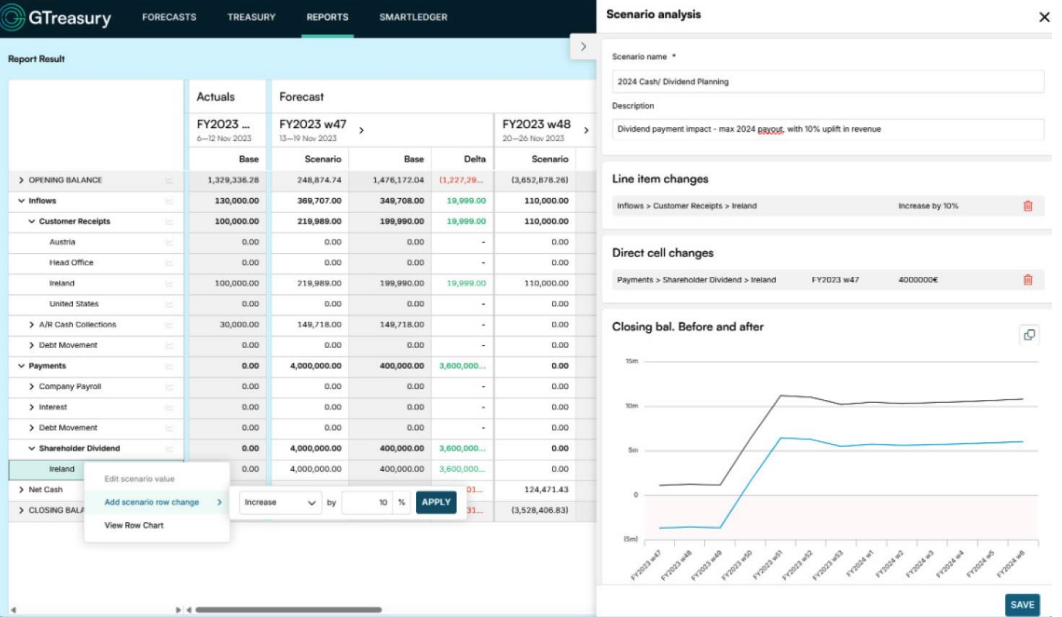
2026 R2 Release Notes: March 2026
Solution | Type | ID | Title | Release Notes |
|---|---|---|---|---|
Cash Forecasting | Enhancement | OPS-1009 | Scenario analysis | Treasury teams can now answer executive "what if" questions in real time by modeling best case, base case, and worst case scenarios at the click of a button, replacing hours of spreadsheet work. Scenarios can be created in three steps: Select Common treasury scenarios are supported, including downside planning (revenue shortfalls, payment delays), upside planning (accelerated receipts, working capital optimization), strategic events (acquisitions, debt refinancing, dividends), and operational changes (CapEx timing, cost reductions). Scenarios can be shared across treasury, FP&A, and executive teams with a complete governance and audit trail, and saved to a scenario library for reuse across ongoing planning cycles. The FX rate scenario analysis allows teams to model the impact of currency movements on consolidated cash positions instantly, so questions like "What happens to our cash position if the dollar strengthens 10%?" can be answered in the meeting rather than later.
|
Cash Forecasting | Enhancement | Performance and platform improvements | Key screens have been migrated to React, aligning with front end modernization and a standardized component library for a more consistent user experience. Improvements to bank file processing also reduce wait times for bank file loading and matching. | |
Cash Forecasting | Enhancement | CAS-3026 | Cross-solution integration improvements | The transfer of bank transaction data between Liquidity Management and Cash Forecasting has been re-engineered to improve speed, reliability, and resilience — reducing the risk of delays or failures in your forecast inputs. |
Payments | Enhancement | 147645 | Enhance Payment Status to support part of a transaction number | We've enhanced how Ripple Treasury processes ACH return files to ensure accurate payment matching for organizations that process large transaction volumes. Previously, clients processing more than 9,999,999 ACH transactions potentially could experience mismatches when trace numbers rolled over and duplicates appeared. With this update, the system now uses a smarter, multi-layered matching approach combining configurable date-range filtering with intelligent disambiguation rules to reliably identify the correct payment record even when trace numbers overlap. Returns will continue to update payment statuses accurately, and Notifications of Change (NOCs) will be stored with the correct return codes and reason fields. This improvement ensures uninterrupted, accurate ACH return processing as your transaction volumes grow. |
Payments | Enhancement | 150138 | ExPayment Refactor: User Access Validation | This update strengthens the ExPayment extraction flow by replacing the former external Web API dependency with Ripple Treasury's internal AccessManager service for user access validation. The change improves reliability, reduces external failure points, and adds clearer logging and error handling when access is denied. All functional behavior remains consistent with the previous design, and both unit and integration tests confirm the updated flow. This enhancement delivers a more stable and resilient access control mechanism within the payment extraction process. |
Payments | Enhancement | 150244 | ExPayment: Robust null handling and structured logging | This update enhances system stability and observability by adding full null handling safeguards within TransformDataByGFS to prevent runtime exceptions, supported by new unit tests for edge cases. Logging has been upgraded to structured, New Relic compatible output with enriched metadata for clearer diagnostics while ensuring sensitive data is masked. Additional error recovery logic improves handling of unauthorized GFS responses, and overall code quality has been refined for better readability and maintainability. |
Platform: Architecture | Fixed | 154052 | Widgets and dashboards not viewable in Preview | Resolved an issue that was causing the home portal and top menu to not render for specific users in the Preview environment. |
Platform: Connectivity | Enhancement | 152065 | Adding unit test case for Balance Import Function app | Unit test coverage has been added for the Balance Import Function app. |
Platform: Connectivity | Enhancement | 152798 | Upgrade CCG API to .net 10 | The CCG API has been upgraded to .NET 10. |
Platform: Connectivity | Enhancement | 152967 | Upgrade Job API to .net 10 | The Job API has been upgraded to .NET 10. |
Platform: Connectivity | Enhancement | 152807 | The data in application is set up with a name exceeding 35 characters | The Goldman Sachs payment connector now supports alternate name fields for beneficiary name transmission, resolving payment rejections caused by name truncation. When processing payments through the Goldman Sachs API connector, the connector will now check whether an alternate name field is populated on the payment. If present, the alternate name value is used as the beneficiary name sent to Goldman Sachs rather than the primary name field. Goldman Sachs requires that the beneficiary name on a payment exactly match the name on the destination account, and supports names up to 140 characters. When a beneficiary name exceeded 35 characters, the connector previously truncated the value, causing Goldman Sachs to reject the payment due to a name mismatch. |
Platform: Connectivity | Enhancement | 152971 | Secure string list support | Connector administrators can now store and iterate over multiple credentials within a single connector, eliminating the need to create one connector per credential set. Previously, the only way to manage multiple credentials within a CCG authentication flow was to build a separate connector for each one. For customers with large credential sets this was impractical and difficult to maintain. The secure string list removes that constraint, allowing credential management to scale without multiplying connector configurations. |
Platform: Connectivity | Enhancement | 153519 | Balance reporting improvement: Consolidate Authentication and Job Status endpoints | The balance report import process has been updated to use a single, consistent authentication method across all operations, improving reliability and reducing the risk of authentication-related failures. |
Platform: Connectivity | Enhancement | 153858 | Add | Connector administrators can now configure a |
Platform: Connectivity | Fixed | 153480 |
| The |
Platform: Connectivity | Fixed | 153829 | Fix OAuth refresh token race condition in scaled-out processing engine | Resolved an OAuth refresh token race condition in the scaled-out processing engine. |
Platform: Market data | Enhancement | 153122 | Interest rate market data missing or tickers to be added | Two new tickers have been added to SGD for SORA average for 3m and 6m tenors. A new ticker and overnight index has been added to CRC. |
Platform: Market data | Enhancement | 153575 | Add GBP CPI index | A second inflation index for CPI has been added to GBP. |
Platform: Market data | Enhancement | 154445 | Create a Custom Index to capture a specific overnight rate | A custom overnight index has been added to AED. |
Platform: Market data | Enhancement | 154448 | Add USD MXN currency basis tickers | USDMXN currency basis tickers added to |
Platform: Market data | Enhancement | 154449 | rename AEIBOR EIBOR | The name for the AED interbank fixing basis has been corrected. |
Platform: Mobile application | Enhancement | 151501 | New cross-platform Ripple Treasury mobile app | Ripple Treasury has launched a redesigned, cross-platform mobile application for iOS and Android, giving corporate treasury teams secure, real-time access to critical workflows from anywhere. The new app replaces the existing limited iOS-only experience with a modern, enterprise-grade solution that delivers the features treasury professionals need most. Key capabilities in this release include payment approvals (single and batch), a cash visibility dashboard for current and prior-day balances, and push notifications for urgent approval actions. Security has been built in from the ground up, with enterprise SSO support biometric and face ID authentication for quick, secure payment approvals. Multi-currency support and offline caching ensure the app performs reliably across global teams and varying connectivity conditions. Built on a modern cross-platform framework and integrated with Ripple Treasury's existing Payments and Cash APIs, the app is designed to scale alongside your organization. Observability and analytics are embedded from day one, enabling continuous performance monitoring and product improvement based on real usage data. Available on the Apple App Store and Google Play Store. |
Risk: AFX | Fixed | 153376 | Unnecessary updates happen while loading | The fix corrects the behavior and removes the unnecessary processes triggered while loading the |
Risk: FI | Enhancement | 153615 | Event Diary end term date default change | The default end term date for Event Diary reporting has been reduced from 50 years to 1 year from the job start date. This change significantly improves job execution performance and reduces server resource consumption for the majority of clients. Data Warehouse Extract jobs that don't specify an EventDiaryTerm parameter will now default to a 1-year reporting window. If you require a longer date range, you can continue to do so by explicitly setting the EventDiaryTerm parameter in your job configuration. |
Risk: FI | Enhancement | 153647 | System sending blank settlement advice via email | Enhanced diagnostic logging has been added to the settlement advice notification process. If a notification fails to generate or send for any reason (such as a missing counterparty contact email address or an unconfigured counterparty settlement instruction) the system will now capture and log detailed information to assist in rapid diagnosis. This improvement ensures that any future occurrences can be identified, investigated, and resolved with greater speed and confidence. |
Risk: FI | Enhancement | 154624 | Parameters for | This analysis documents the function and performance impact of each parameter available in the The Accruals Term (720m) parameter has the highest performance impact as it determines the total time horizon. The Accruals Frequency (monthly) parameter directly multiplies computation; switching to Quarterly is approximately three times faster. The Accruals Start Date (year prior) parameter extends the range backward and has a high performance impact. Accruals Forecast Events (yes) has a moderate-to-high impact as it triggers full market data valuation workspace loading per batch. Include GL Posted Amount (yes) has a low-to-moderate impact and does not affect the AccruedInterest field. All other parameters have negligible performance impact. |
Risk: FI | Enhancement | 152853 | GL processing: Daily valuation journal export | Background:
What's changed:
Impact:
Notes:
For questions or assistance configuring the daily valuation frequency, please contact support. |
Risk: FI | Fixed | 153648 | Extension error message | A defect has been resolved that caused an error when submitting a second partial extension or pre-delivery on an FX Forward deal where the same Deal Date was used as a previous extension or pre-delivery, and the deal had custom Settlement Instructions (SSIs) assigned. The extension and pre-delivery submission logic now correctly handles the case where the same Deal Date is reused across multiple partial operations on the same FX Forward deal. Custom Settlement Instructions on the parent deal version are preserved as expected during this workflow. The interim workaround of using a different Deal Date is no longer required. This fix applies to both FX Forward Extensions and Pre-deliveries. |
Risk: FI | Fixed | 154003 | Deals: Submits > Error on new submits, | A defect has been resolved that caused an error when submitting new deals of types IRS, FX, and CCIRS. Users encountered an A defect in the Exposure Calculation service has been corrected so that expression evaluation will only proceed when all required data (including market values) is confirmed to be available. Deal submission for IRS, FX, and CCIRS deal types now works reliably at any time of day, regardless of whether market data download jobs have completed. The interim workaround of submitting after 11am NZ time is no longer required. |
Risk: Insights | Enhancement | 152268 | Agentic AI feature toggle for Risk: Application Settings | Administrators can now control access to Agentic AI capabilities within the Risk module directly from This feature ensures that AI capabilities are only activated with explicit administrator consent and full acknowledgment of the associated legal terms. |
2026 R1 Release Highlights
New SOC Reports Are Available
View SOC Bridge Letters and Reports to access and download the latest bridge letters and reports.
Risk
Non-Cash Event Journal Export with Settled Cash Flow Configuration: You can restrict journal generation to "settled" cash flows while still exporting all non-cash, accrual, and valuation journals. This eliminates manual adjustments and improves accounting close accuracy.
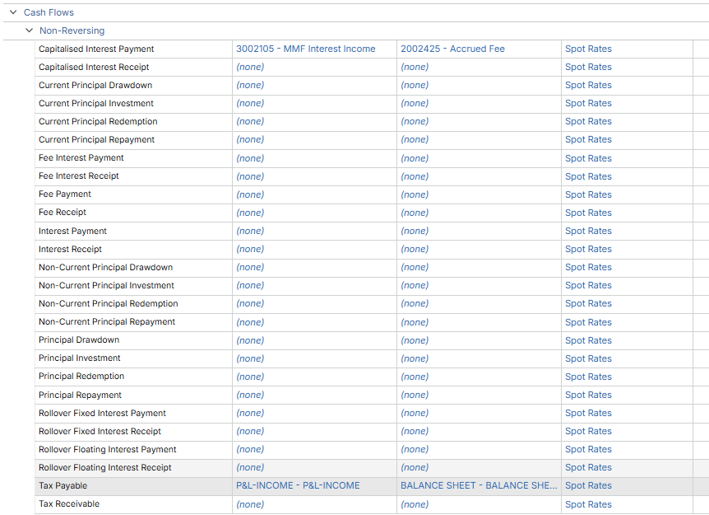
Platform: Connectivity
API Banking Connections Now Available
BNY Mellon (BNYM) Reporting: Direct API integration for real-time balance reporting and automated transaction data retrieval without manual file uploads.
Customers Bank Reporting: API-driven account management with instant data synchronization and streamlined reconciliation.
Silicon Valley Bank Reporting: Real-time API access to commercial banking data, eliminating delays associated with traditional file-based connectivity.
API Banking Connections Available for Pilot
Banking Circle Reporting: API-enabled multi-currency reporting with immediate transaction visibility and automated data refresh.
Bank Frick Payments: API-based payment processing with automated status tracking and real-time confirmations.
Union Bank Payments: Direct API integration for payment initiation with immediate transaction visibility.
Silicon Valley Bank Payments: API-enabled payment capabilities with real-time status updates.
Standard Chartered Payments: Global API connectivity for payment processing across multiple regions.
Banking Circle Payments: Multi-currency payment processing with automated confirmation workflows.
Customers Bank Payments: Payment initiation and tracking through direct API integration.
2026 R1 Release Notes: February 2026
Solution | Type | ID | Title | Release Notes |
|---|---|---|---|---|
Payments | Enhancement | 151197 | ExPayment: Fix Intermittent FTP Connection Failures during Fingerprint Validation | The FTP transport service has been updated to properly validate server connection state before fingerprint verification, eliminating intermittent failures during payment extract jobs. The fix includes connection state checks and handshake timing improvements to ensure stable FTP connections under varying network conditions, preventing ExPayment job failures during the transport phase. |
Payments | Enhancement | 150244 | ExPayment: Robust Null Handling and Structured Logging | This update enhances system stability and observability by adding full null handling safeguards within TransformDataByGFS to prevent runtime exceptions, supported by new unit tests for edge cases. Logging has been upgraded to structured, New Relic compatible output with enriched metadata for clearer diagnostics while ensuring sensitive data is masked. Additional error recovery logic improves handling of unauthorized GFS responses, and overall code quality has been refined for better readability and maintainability. |
Payments | Enhancement | 152684 | Selected Transactions not sent to SWIFT | Fixed a critical issue where single-transaction payment files were being overwritten during the GFS / SecureSend transmission process, causing payments marked as "extracted" to fail delivery without error logging. The system now appends unique Transaction IDs to all filenames and includes enhanced exception handling in SecureSend, ensuring 100% delivery of extracted payments with full error visibility and preventing silent transmission failures. |
Payments | Fixed | 151198 | ExPayment >Transport Files to FTP: Job status stuck in processing | Fixed an issue where payment extract jobs would remain stuck in "Processing" state after a successful FTP retry, even when files were successfully delivered to the remote server. Jobs now properly transition to "Completed" status following successful "Transfer to FTP" operations, eliminating the need for manual database intervention when retrying failed jobs after FTP connection corrections. |
Payments | Fixed | 151916 | ExPayment Formatting: Incorrectly identifying investment account numbers as IBANs and outputting the account value in incorrect XML tag. | Fixed incorrect IBAN detection logic that was causing SWIFT file rejections when account numbers coincidentally started with valid country codes (e.g., "SMTCJPJT" starting with "SM" for San Marino). The system now validates IBANs using proper structural rules including length verification, check digit validation, and MOD-97 checksum calculation, ensuring only legitimate IBANs are tagged as such while correctly handling non-IBAN account numbers in the <Othr><Id> format. |
Platform: Architecture | Enhancement | 153360 | SSO Login Error Handling Improvements | Resolved a database connection issue that caused a performance degradation when SSO services were invoked. |
Platform: Architecture | Fixed | 153119 | Navigation from Users to User Groups | Resolved problem were users couldn’t navigate directly from Users to User Groups when CDN feature flag is enabled. |
Platform: Architecture | Fixed | 153365 | Dashboard Balance Widget displaying Balances for Users with No Rights to Balances | Resolved an issue that was preventing the proper application of the view balance security permission when viewing the Balance dashboard widget on the home portal in some use cases. This update will ensure that users with proper access will be prevented from viewing balance details as expected. |
Platform: Connectivity | Enhancement | 152959 | Basic Authentication support for External API: v2 API | The Basic Authentication enhancement provides an additional security option for your External API integrations. This is an optional upgrade that requires no immediate action. Your existing integrations will continue operating exactly as they do today. When you're ready to adopt enhanced security controls, the v2 authentication method will be available for your use. Migration is straightforward. You only need to update your authentication call to use the new endpoint at [environment]-job-api.Ripple Treasury.net/api/Auth/V2/auth/external/request-token with Basic Authentication. Note that v2 uses a different base URL with the -job-api suffix. The token returned in the response 'data' field works identically to v1 tokens, so no other code changes are required. You can migrate integrations at your own pace, testing thoroughly in non-production environments before making any production changes. If you have questions about this enhancement or would like guidance on adoption strategies, please contact your Customer Success Manager or our Support team. |
Platform: Market Data | Enhancement | 151958 | Adding HONIA to the list of dropdowns for float rates | Added new HONIA overnight basis to HKD. |
Platform: Market Data | Enhancement | 153515 | Addition of China LPR | Added CNY LPR rate. |
Platform: Market Data | Enhancement | 153516 | Add PHP FX Vols | Added PHP FX vols. |
Platform: Market Data | Enhancement | 153302 | Commodity Forward: Lithium Hydroxide | Added Lithium Hydroxide as a new commodity. |
Platform: Market Data | Enhancement | 153118 | OPELLA require additional market tickers | Added BIF, FKP, KMF, KPW, and MDL currencies. |
Risk: AFX | Fixed | 110820 | OCI not showing in the accounting report for trades with early close | This is to fix the standard and enhanced accounting report to show the OCI value for trades with early close. |
Risk: FI | Enhancement | 151786 | Add currency basis support to implied rates | The calculation of the rate on the hypothetical derivative for cross currency swap cash flow hedges has been changed. The previous method was to calculate the rate for a zero value excluding currency basis and this has been changed to the rate for a zero value including currency basis. This was done to align the rate on the hypothetical more closely with the actual hedge. This will not affect hedge relationships that have already been processed. |
Risk: FI | Enhancement | 153006 | Non-Cash Event Journal Export with Settled Cash Flow Configuration | Issue:
Resolution:
Impact:
|
Risk: FI | Fixed | 153009 | FX Options Credit Adjustment Accounting Event Generation | Issue:
Resolution:
Impact:
|
Risk: FI | Fixed | 153010 | DWH Mark to Market Data Source providing incorrect value for Deal Currency Market Value | Issue:
Resolution:
Impact:
|
Risk: FI | Fixed | 153043 | Cash Account Face Value Calculation in Security Report | Issue:
Resolution:
Impact:
|
Risk: FI | Fixed | 153142 | Treatment of a Custom Schedule (amortizing swap) in Reprice Gap Report | The gap report in the ALM module has been fixed for treasury instruments with custom schedules and fixed rates. Previously the total balance was appearing at the final maturity date. Now the full amortizing balances are spread out over the period. |
Risk: FI | Fixed | 152716 | FRN Trading Margin Calculation Accuracy Fix | Corrected a calculation precision issue in the Floating Rate Note (FRN) Trading Margin computation. Issue:
Resolution:
|
2025 R13 Release Highlights
We're excited to share significant enhancements across the Ripple Treasury platform and solutions that will streamline your operations and provide powerful new capabilities.
Annual Holiday Calendar Update
To ensure accurate payment processing and settlement dates for the upcoming year, please review and update your holiday calendars in Ripple Treasury. This quick maintenance step helps prevent scheduling conflicts and keeps your treasury operations running smoothly.
Need assistance? Visit the Ripple Treasury Help Center.
Risk
Enhanced Securities Report: Added 2 new fields to provide visibility into upcoming principal payments: "Next Principal Amount" and "Next Principal Payment Date."
Improved Cash Flow Forecasting: You can now easily view scheduled principal payment amounts and dates directly in the Securities Report for better financial planning.
2025 R13 Release Notes: January 2026
Solution | Type | ID | Title | Release Notes |
|---|---|---|---|---|
Risk: FI | Enhancement | 152078 | Securities report from native reports: add "Next Principal Amount" and "Next Principal Payment Date" to the report | The Securities Report has been enhanced to include 2 new data fields:
|
Risk: FI | Fixed | 151865 | In the Securities report, the "Next payment amount" field displays an incorrect interest payment. | The Securities Report was displaying understated values in the Next Payment Amount column for securities where the next payment contains compounded interests from multiple interest periods. The report captured only the first interest period rather than aggregating all compounded periods. The Securities Report now aggregates all compounded interest periods when calculating the Next Payment Amount. The calculation sums all interest periods associated with a payment event, ensuring the total reflects the complete payment due. |
Platform: Architecture | Enhancement | 150064 | Unified User group permissions not working in Reporting | Enhanced user access permissions so [Reporting Module].[Report Writer].EXEC permission now controls access to the custom reporting functionality. Now when the permission is granted, users will be able to see the below menu items, and those users without this permission will no longer see the below menu items.
This was done to align the permission with our documentation and to correct an issue where users without reporting permissions where still able to access custom reporting. |
2025 R12 Release Highlights
We're excited to share significant enhancements across the Ripple Treasury platform and solutions that will streamline your operations and provide powerful new capabilities.
Important Reminder
It’s time for your annual holiday calendar maintenance. Need help?
Risk
Cross-Currency Interest Rate Swap (CCIRS) Exposure Calculation Enhancement
Improved Currency Handling: Face value and initial principal calculations now automatically identify the valuation currency, retrieve the matching leg principal, and convert to reporting currency using current spot rates when needed.
Consistent Exposure Reporting: Provides stable and accurate exposure data for CCIRS deals across the Limit Dashboard and Credit Exposure Report.
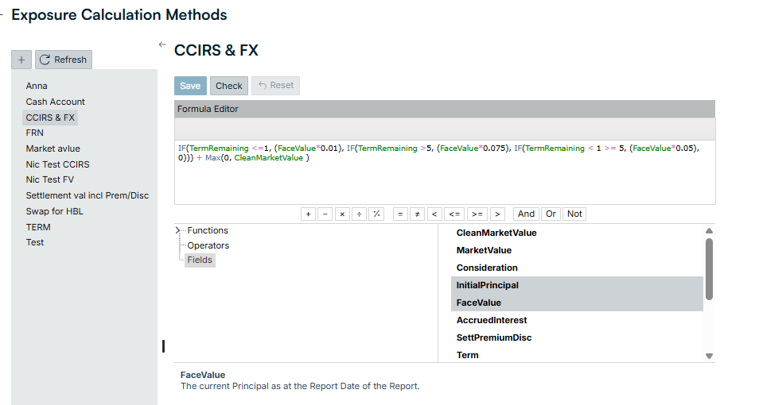
2025 R12 Release Notes: January 2026
Solution | Type | ID | Title | Release Notes |
|---|---|---|---|---|
Platform: Architecture | Enhancement | 150064 | Unified User group permissions not working in Reporting | Enhanced user access permissions so [Reporting Module].[Report Writer].EXEC permission now controls access to the custom reporting functionality. Now when the permission is granted, users will be able to see the below menu items, and those users without this permission will no longer see the below menu items.
This was done to align the permission with our documentation and to correct an issue where users without reporting permissions where still able to access custom reporting. |
Platform: Connectivity | Fixed | 151762 | 360T Connector HTTP client timed-out error | Created a minimum 20-minute timeout to address the timeout error. |
Risk: AFX | Fixed | 145286 | Hedged Item Page: Expanded Exposure Descriptions Character Limit to 500 characters | Increased the character limit of the Exposure Description on the Hedge Item page. |
Risk: FI | Enhancement | 151977 | Auto-populate Price for MMF Deal Instrument Opening Balance Investment | When you create an MMF deal instrument with a non-zero principal amount as the opening balance, the system now automatically sets its price to 1. Previously, investments added via opening balance without explicit price or unit information would remain in a "pending" status, requiring manual intervention before you could proceed. How it works:
|
Risk: FI | Fixed | 150807 | Incorrect Principal Rollover Event Created During Margin-Only Amendments in Loan / Deposit Instrument | When amending a custom schedule to change only the margin in Loan / Deposit instrument, the system incorrectly generated a principal rollover event in the Events tab, even when no rollover existed prior to the amendment. The system now correctly handles margin-only amendments to custom schedules without creating erroneous rollover events. Event types are preserved accurately based on the actual changes made. |
Risk: FI | Fixed | 150156 | CCIRS Exposure Calculation Improvement for Limit Dashboard and Credit Exposure Report | Principal-based exposure calculations for Cross-Currency Interest Rate Swap (CCIRS) deals produced inaccurate results when the receiving leg currency differed from the valuation currency. This affected exposure figures displayed in both the Limit Dashboard and Credit Exposure reports. The face value and initial principal calculation for CCIRS instruments now:
This enhancement provides stable and consistent exposure reporting for CCIRS deals, enabling more reliable limit monitoring and credit risk management across all currency combinations.
|
Copyright 2024 Ripple Labs Inc.